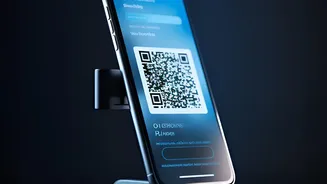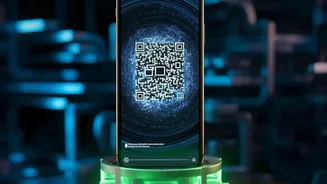







The convenience of scanning a QR code to pay for parking or a meal is undeniable, especially while travelling. But cybersecurity firm Kaspersky is warning tourists that this convenience is being exploited by criminals in a growing scam.
Understanding the 'Quishing' Threat
The scam has a name:
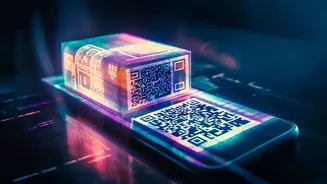
'quishing', which is a blend of 'QR code' and 'phishing'. Phishing involves tricking people into giving up sensitive information, and quishing is simply the latest method. Scammers create fraudulent QR codes that, when scanned, lead you not to a legitimate payment portal but to a malicious website they control. These websites are often convincing replicas of real ones, designed to harvest your credit card details, banking logins, or other personal data. This tactic is effective because it bypasses many traditional security measures like email spam filters, as the malicious link is hidden within an image.
How Scammers Target Tourists
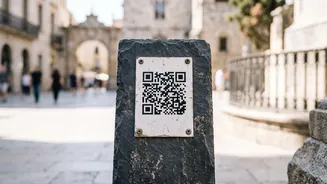
The method is often surprisingly low-tech. Criminals simply print their malicious QR code onto a sticker and physically place it over the real one on a payment terminal, restaurant table, or public information sign. This is particularly effective in busy tourist areas where people are often rushed, distracted, or unfamiliar with local payment systems. Common hotspots include parking meters, public transport stations, bike rentals, and restaurant tables. In a recent warning aimed at Indian travellers visiting Indonesia, Kaspersky highlighted how scammers were targeting the country's widespread QRIS payment system by replacing legitimate merchant codes.
Red Flags: How to Spot a Fake QR Code
While scammers are getting better at creating convincing fakes, there are often tell-tale signs of tampering. First, inspect the physical code itself. Look for stickers that appear to be placed on top of another code, or have peeling edges. If it looks like a sticker has been hastily applied, be cautious. Second, preview the URL before opening it. Most modern smartphone cameras will show you the destination web address before you tap to open the link. If the URL is misspelled, uses a URL shortener like 'bit.ly', or doesn't seem to match the merchant's name, do not proceed.
Essential Steps for Safe Scanning
Kaspersky and other cybersecurity experts recommend a 'pause and check' approach. Before scanning any public QR code, take a moment to verify it. If you're at a restaurant or shop, ask the staff to confirm it's the correct code. For services like parking, it's safer to use the official app or pay directly at the machine with a card if possible. Never download an application from a QR code link; use official app stores instead. Enable multi_factor authentication on your financial apps for an extra layer of security. Using a security solution on your phone, such as Kaspersky Premium, can also help by checking links for malicious or phishing websites before they load.
What to Do If You've Scanned a Bad Code
If you suspect you've been scammed, act quickly. Immediately contact your bank or credit card company to report the potential fraud and have them monitor your account for suspicious activity. They will likely cancel your card and issue a new one. Change any passwords you may have entered on the fake website. If you entered banking login details, change that password immediately, along with the password for any other service where you might have used it. Finally, report the incident to the local authorities and the business where the fraudulent code was located to prevent others from falling victim. In India, you can call the National Cyber Crime Helpline at 1930.