





Master Your Passwords
Your first line of defense is a strong password. Reusing the same simple password across multiple sites is a major security risk; if one site is breached, all your accounts are vulnerable. A strong password is long and complex, using a mix of upper and lowercase
letters, numbers, and symbols. But remembering dozens of unique, complex passwords is impossible for most people. This is where a password manager becomes essential. These tools generate and store highly secure, unique passwords for every site you use. You only need to remember one master password to access your secure 'vault'. When choosing a manager, look for one with zero-knowledge architecture, which means even the provider cannot access your data.
Enable Two-Factor Authentication (2FA)
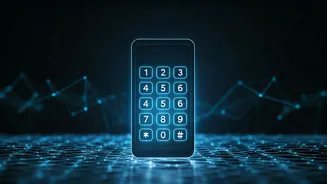
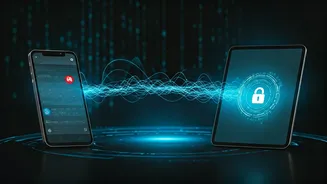
Two-factor authentication adds a critical second layer of security. Even if a hacker steals your password, they won't be able to access your account without the second verification step. This second factor is typically 'something you have,' like your smartphone. When you log in, the service sends a temporary code to your phone via text or an authenticator app, which you must enter to gain access. Authenticator apps are generally considered more secure than SMS-based codes. Most major online services, from email providers to social media platforms and banks, now offer 2FA. Enabling it on every account possible is one of the single most effective steps you can take to secure your digital life.
Use a Virtual Private Network (VPN)
When you browse the internet, especially on public Wi-Fi networks in cafes or airports, your connection can be exposed. A Virtual Private Network (VPN) creates a secure, encrypted tunnel for your internet traffic. This means that if anyone were to intercept your data, it would be unreadable. A VPN also masks your IP address, which is tied to your physical location, making it harder for websites and advertisers to track your online activities. While a VPN is not a magic bullet for all online threats, it is a powerful tool for enhancing your privacy and securing your connection, particularly when you are away from a trusted home or office network.
Conduct a Social Media Privacy Audit
Social media platforms are designed for sharing, but it's crucial to control who sees your information. Oversharing personal details like your birthdate, hometown, or daily routines can provide valuable information to scammers. Regularly review the privacy settings on all your accounts. Most platforms allow you to limit the visibility of your posts to just your friends or a select group. Be cautious about the friend requests you accept from strangers and think twice before checking in or tagging your precise location in real-time. Also, review what third-party apps are connected to your social media accounts and revoke access for any you no longer use or don't recognize.
Become Your Own Human Firewall
Technology can only protect you so much; the final guardrail is your own vigilance. Be skeptical of unsolicited emails or messages, especially those creating a sense of urgency or making offers that seem too good to be true. This is a common tactic in phishing scams, where attackers impersonate legitimate companies to trick you into giving away personal information. Before clicking a link in an email, hover your mouse over it to see the actual destination URL. Look out for spelling errors, generic greetings like "Dear Customer," and email addresses that don't match the official domain of the company they claim to be from. When in doubt, contact the company directly through their official website, not by using the contact information in the suspicious email.