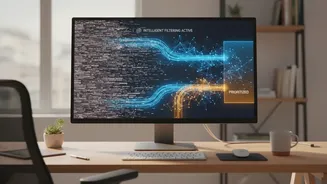







The Remote Work Inbox Problem
Working from home has blurred the lines between the office and personal life, and nowhere is this more apparent than in our email inboxes. The average professional can receive over a hundred emails a day, and a significant portion of the workday is lost
just managing this flow. For remote workers, this problem is magnified. Without the clear physical separation of an office, the digital noise of non-urgent emails, promotional materials, and endless CC threads can easily drown out the critical messages that require immediate attention. This constant context-switching creates mental fog, reduces focus, and leads to the nagging fear that something important has been missed.
What Are Smart Email Filters?
This is where smart email filtering tools come in. These are not your old-school, rule-based filters that simply look for keywords. Modern AI email assistants use artificial intelligence, including machine learning and natural language processing (NLP), to understand your emails on a much deeper level. Instead of you manually creating rules for every sender, the AI learns from your behaviour. It watches which emails you open immediately, which ones you reply to, and which ones you delete without a second glance. Over time, it builds a model of your priorities, automatically sorting messages so you can focus on what's important.
Behind the Curtain: How the AI Works
The technology driving these tools is complex, but the concept is simple: pattern recognition. Using Natural Language Processing (NLP), the AI can read and interpret the content, tone, and intent of an email, much like a human would. It analyzes various signals to determine an email's importance. These signals include the sender's relationship to you, the language used (is it creating a sense of urgency?), whether the email is part of an ongoing conversation, and how you've interacted with similar emails in the past. This allows the system to differentiate between a critical client request and a generic marketing blast, even if both have similar subject lines.
Key Features That Restore Sanity
Different tools offer various features, but most are designed to tackle the core problems of inbox clutter. A 'Priority Inbox' is a common feature, where the AI surfaces only the messages it deems urgent and important. Another is automatic categorization, which intelligently sorts emails into folders like 'Newsletters', 'Promotions', or 'Notifications', keeping them out of your main view. Some tools offer smart summaries of long email threads, allowing you to catch up quickly without reading every single message. Others help you unsubscribe from lists you never engage with or provide 'do not disturb' features to block emails during your focused work hours.
The Real-World Benefits of a Smarter Inbox
The primary benefit is reclaimed time and focus. Studies show that professionals spend hours each week just managing their inbox. By automating this process, AI tools can give you back a significant chunk of your workday. This isn't just about efficiency; it's about reducing the cognitive load and stress associated with a constantly overflowing inbox. When you trust that your system is highlighting what's important, you're free to concentrate on deep, meaningful work. For remote teams, this improved focus and faster response time on critical issues can lead to better collaboration and quicker decision-making.
Finding the Right Tool for You
The market for AI email assistants is growing, with options available for every type of user. Some tools, like SaneBox, work on top of your existing email client (like Gmail or Outlook) to provide smart filtering. Others, like Superhuman or Shortwave, offer a completely new, feature-rich email experience designed for speed and productivity. Even major providers like Google and Microsoft are integrating more advanced AI features directly into Gmail and Outlook. Many of these services offer free trials, which can be a great way to see if an AI-powered approach to email management is the right fit for your workflow.