








Why 'Cool' Mode Often Isn't Enough
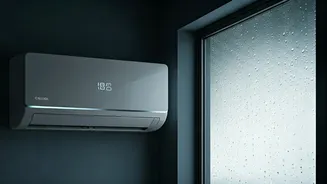
The standard 'Cool' mode on your air conditioner is designed primarily to lower the air temperature. It works by pulling in warm air and passing it over cold evaporator coils. As the air cools, water vapour condenses on these coils—similar to how water droplets
form on a cold glass—which helps dehumidify the air as a secondary benefit. However, this process has a drawback in very humid conditions. If your AC is powerful, it might cool the room to your set temperature very quickly and then shut off its compressor. While the room is cooler, the AC hasn't run long enough to remove a significant amount of moisture from the air. This results in that familiar clammy, cold-but-damp feeling, particularly common during the monsoon season.
The 'Dry' Mode: Your Secret Weapon Against Humidity
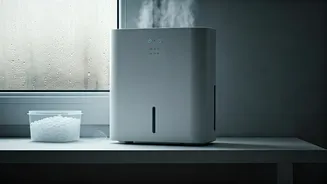
Most modern ACs come with a 'Dry' mode, often represented by a water droplet symbol on the remote. This setting transforms your air conditioner into a much more effective dehumidifier. When you activate 'Dry' mode, the system's primary goal shifts from lowering the temperature to removing excess moisture. It does this by running the compressor in shorter, intermittent cycles and operating the fan at a much lower speed. This slower process gives the humid air more contact time with the cold coils, allowing for maximum moisture condensation and removal without drastically dropping the room's temperature. The result is a comfortable, crisp environment that feels fresh rather than just cold.
When to Use 'Dry' Mode vs. 'Cool' Mode
Knowing when to use each mode is key to comfort and efficiency. Use the standard 'Cool' mode on intensely hot, dry days when your main goal is to bring down a high temperature quickly. 'Dry' mode, on the other hand, is your ideal choice for moderately warm but highly humid days, such as during rainy seasons or in coastal areas. It’s perfect for times when the thermostat reading is already comfortable, but the air feels heavy, sticky, and damp. Using 'Dry' mode in these conditions not only improves comfort but can also be more energy-efficient, as the compressor doesn't have to work as hard, potentially reducing electricity consumption by 20-50% compared to 'Cool' mode.
The Most Important Fan Setting: 'Auto' is a Must
One of the most common mistakes that undermines humidity control is setting the AC's fan to 'On' instead of 'Auto'. When the fan is set to 'On', it runs continuously, even when the AC's cooling compressor is off. While the compressor is off, the moisture that has collected on the internal coils doesn't have a chance to drain away properly. Instead, the constantly running fan blows air over these wet coils and reintroduces that same moisture back into your room, making the air humid again. By contrast, the 'Auto' setting ensures the fan only runs when the AC is actively cooling or dehumidifying. During the pauses between cycles, moisture can drain away effectively, properly removing it from your home.
Finding the Right Temperature and Other Tips
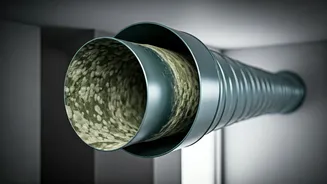
For optimal dehumidification, you don't need to set your thermostat to a frigid temperature. A moderate setting, around 24-26°C, is often ideal. Setting it too low can cause the AC to cycle off too quickly, hindering moisture removal. When using 'Dry' mode, some experts suggest setting the temperature a few degrees above the current room temperature to ensure the unit focuses solely on dehumidifying. Beyond settings, simple maintenance like keeping your AC coils clean by regularly changing the filter is crucial for efficient operation. A dirty coil cannot remove heat or humidity effectively. Reducing indoor humidity is also vital for health, as it helps prevent the growth of mould and dust mites, which thrive in damp conditions.