






The Golden Rule of UPI Safety
Before we dive into specific scams, let's establish the single most important rule of UPI: you only need to enter your PIN when you are sending money. You never, under any circumstances, need to enter your PIN to receive money. Scammers' primary goal
is to trick you into breaking this rule. They might create a sense of urgency or promise a reward, but the moment someone asks you to enter your PIN to get paid, it is a scam. If someone genuinely wants to send you money, they only need your UPI ID or the mobile number linked to your account. The process of receiving money is passive; you don't need to approve or authorize anything.
Beware of Deceptive Phishing Links
Phishing remains one of the most common methods fraudsters use. You might receive an SMS or email with a link claiming to be from your bank, a payment app, or for KYC verification. These links lead to fake websites that look identical to the real ones. Once you enter your details, like your UPI PIN or bank credentials, on these fraudulent pages, scammers gain access to your account. Always be skeptical of unsolicited links. Banks and official UPI apps will never ask you to update details or verify your account through a random link sent via text message. To be safe, only use official apps downloaded from the Google Play Store or Apple App Store and never enter your PIN on a website page.
The QR Code 'Receive Money' Scam
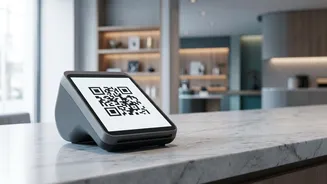
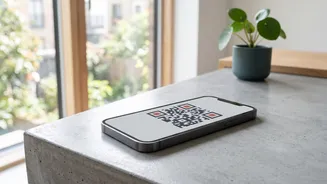
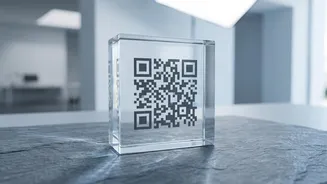
The QR code scam cleverly exploits a common misunderstanding. Scammers will ask you to scan a QR code they send you to 'receive' money for a supposed refund, prize, or payment for an item you're selling online. However, scanning a QR code is exclusively for making payments, not receiving them. When you scan their code and enter your PIN, you are actually authorising a payment from your account to theirs. Another variation involves fraudsters placing a sticker of their own QR code over a legitimate one at a shop or payment counter, redirecting your payment to their account. Always verify the recipient's name on your UPI app screen before entering your PIN to ensure it matches the person or merchant you intend to pay.
Fake Customer Support and Remote Access Traps
If you face a failed transaction or another issue, you might search online for a customer care number. Fraudsters plant fake helpline numbers in search results and on social media. When you call, the person on the other end, posing as a support executive, will try to trick you into revealing your PIN or OTP. A more dangerous tactic involves asking you to install a screen-sharing application like AnyDesk or TeamViewer to 'help' you. Once installed, they can see everything on your screen, including when you enter your UPI PIN, and take control of your device to authorise fraudulent transactions. Remember, legitimate customer support will never ask for your PIN or ask you to install third-party apps.
What to Do If You Get Scammed
If you suspect you've been a victim of UPI fraud, time is critical. The very first step is to call the National Cyber Crime Helpline at 1930. This line is designed to quickly flag fraudulent transactions with banks to try and freeze the funds. Immediately after, report the incident on the National Cyber Crime Reporting Portal (cybercrime.gov.in). You must also inform your bank to report the unauthorised transaction and have them raise a dispute. Be sure to save all evidence, including transaction IDs, screenshots of messages, and the scammer's phone number or UPI ID, as this will be required for the complaint.