








Why Your Chair Is Harming Your Back
When you sit for extended periods, especially when slouched, the natural S-shaped curve of your spine flattens into a 'C' shape. This posture puts significant strain on the muscles, ligaments, and discs in your lower back, a condition known as static
load. Unlike dynamic movement, which promotes circulation, static load forces your muscles to remain contracted to hold a position, leading to fatigue, stiffness, and eventually, chronic pain. An improperly set up chair, whether it's a high-end ergonomic model or a simple dining chair, fails to support your spine's natural curve, making slouching almost inevitable. This is why many people experience that familiar ache that worsens as the workday progresses.
The Foundation: Correct Seat Height
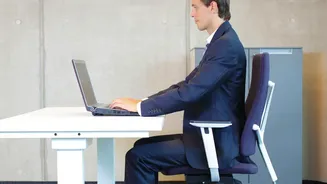
Before adjusting any back support, your first step is to set the chair's height correctly. This provides a stable foundation for your entire posture. Stand in front of your chair and adjust the seat until its highest point is just below your kneecap. When you sit down, your feet should be flat on the floor with your knees bent at roughly a 90-degree angle, and your thighs should be parallel to the floor. If your feet are dangling, it puts pressure on the back of your thighs and can affect circulation. If they are tucked under you, it can cause your lower back to round. If your desk is too high to achieve this, use a footrest to ensure your feet are properly supported.
Crucial Step: Positioning Lumbar Support
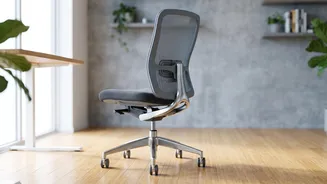
The most critical adjustment for preventing lower back pain is the lumbar support. Its purpose is to fill the gap between the chair and the natural inward curve of your lower spine. To find the right spot, sit all the way back in your chair so your hips touch the backrest. The adjustable lumbar cushion should be positioned to fit snugly into the curve of your lower back, which is typically around your belt line. A common mistake is setting it too low, which can cause you to slouch, or too high, which can push your mid-back forward. If your chair lacks built-in adjustable support, a rolled-up towel or a dedicated lumbar pillow can serve the same purpose effectively.
Aligning Armrests to Reduce Strain
Armrests play a key role in reducing strain on your shoulders and upper back, which is connected to your overall spinal health. Adjust the armrests so that your elbows can rest comfortably at about a 90-degree angle, with your shoulders relaxed and not hunched. They should be close enough to your body that you don't have to lean to one side. This simple adjustment takes weight off your upper spine and neck, preventing the tension that often builds up during long hours of typing and mouse work.
A Holistic View of Your Workspace
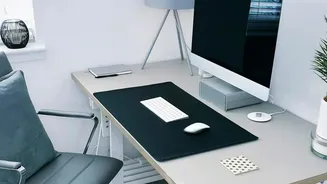
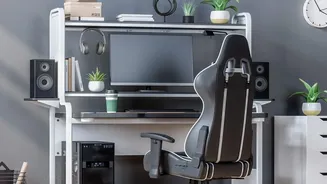
While the chair is your foundation, other elements of your workspace contribute to good posture. Your monitor should be positioned so the top of the screen is at or just below eye level, preventing you from craning your neck up or down. Your keyboard and mouse should be close enough that you can use them with relaxed shoulders and straight wrists. The goal is to create a setup that encourages a neutral posture, where your spine maintains its natural curves and strain is minimized. Remember to also take regular movement breaks—stand up, stretch, and walk around for a few minutes every hour to combat the negative effects of a sedentary day.
A Shared Responsibility for Remote Teams
For managers and team leads, the well-being of their remote employees is a growing concern. The rise in musculoskeletal issues since the shift to remote work is well-documented. Forward-thinking companies are recognizing that ergonomics is a strategic lever for productivity and employee satisfaction. This can involve providing allowances for ergonomic furniture, offering virtual ergonomic assessments, or simply sharing educational resources on how to create a healthier home workspace. Supporting employees in setting up their workstations correctly is an investment in their long-term health and the team's overall effectiveness.