







The Core Problem: From Idea to Inbox Chaos
The flash of inspiration hits while you're walking the dog or driving to a meeting. You grab your phone, record a quick voice note, and feel a sense of relief. But what happens next? For many busy creators, that voice memo joins dozens of others in a digital
junk drawer. Each audio file is a mystery box, requiring you to listen, remember the context, and manually decide on the next step. This process creates friction and a 'second inbox' of unprocessed thoughts, which is often more daunting than a crowded email inbox. The key to solving this isn't just about recording ideas; it's about building a seamless system to process them. The goal is to move from chaotic capture to structured action with minimal effort.
Step 1: Choose Your Capture Tool Wisely
The first step is to choose one reliable place to capture every voice-based idea. Consistency is crucial. While a phone's native voice recorder is simple, dedicated transcription apps offer a significant advantage by immediately converting your speech to text. Modern AI-powered tools like Otter.ai, Descript, or Fireflies.ai can automatically transcribe your recordings with surprisingly high accuracy. Some of these tools are designed specifically for content creators and can handle various accents and background noise. Others, like Google Keep or Apple Notes, integrate transcription directly into their note-taking function. The right tool for you is the one that reduces the most friction between speaking and seeing your idea as text.
Step 2: Talk Like a Task Manager
The way you speak your ideas can dramatically simplify the organizing process later. Instead of a rambling stream of consciousness, add simple verbal cues or 'labels' to your notes. For instance, start your voice memo with a keyword like "Idea," "To-Do," or "Blog Post." This small habit makes sorting through transcripts much faster. You could say, "To-Do: Follow up with the client about the invoice," or "Idea: Write an article about time-blocking for creatives." This technique provides immediate context and helps AI tools, or even just your future self, understand the intent behind the note. This structured dictation turns a simple brain dump into a pre-sorted list of potential actions.
Step 3: Automate the Bridge to Your To-Do List
Once your idea is transcribed, the next critical step is getting it into your primary task management system, whether that's Asana, Todoist, Notion, or Trello. This is where automation becomes your best friend. Many transcription apps have direct integrations with popular to-do list platforms. For more customized workflows, tools like Zapier can act as a bridge. For example, you can set up a 'Zap' that automatically creates a new task in Todoist whenever a new transcription in Otter.ai contains the keyword "To-Do." Some advanced tools even allow you to use AI to extract action items from a transcript and send them directly to your project boards. The goal is to eliminate the manual copy-and-paste step entirely.
Step 4: The Weekly Review and Refinement
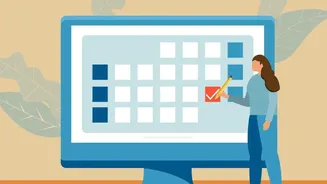
Automation gets your ideas into the right place, but human intelligence is needed for the final step: refinement. This is where productivity systems like Getting Things Done (GTD) become invaluable. The GTD method, created by David Allen, emphasizes capturing everything externally to free up mental space. Set aside a short, recurring block of time—perhaps 20 minutes every Friday—to review the tasks that have been automatically added to your inbox. During this review, you will clarify each item. Is it a single task? Part of a larger project? Assign due dates, add priority levels, and flesh out any missing details. This final, human-led step transforms a raw, transcribed idea into a fully-formed, actionable item in your structured workflow, ensuring nothing slips through the cracks.