


The Myth of the 'Waterproof' Bag
Most laptop bags are labelled 'water-resistant', not 'waterproof', and the difference is critical. Water-resistant material can handle a light drizzle or a minor splash by causing water to bead up and roll off. However, during a sustained downpour, which
is common in the Indian monsoon, that resistance fails. Water can eventually seep through the fabric, and more often, it penetrates through vulnerable points like zippers and seams. A truly waterproof bag, often made of materials like PVC or TPU with welded seams and watertight closures, can be fully submerged without leaking—a level of protection most standard backpacks do not offer. Relying on a regular bag in heavy rain is a gamble with an expensive piece of equipment.
Humidity: The Silent Attacker
Even if you manage to keep every raindrop off your bag, the battle isn't over. The monsoon brings extremely high humidity, and this moisture-laden air is a silent threat to electronics. When you move from a cool, air-conditioned room to the warm, humid outdoors, condensation can form inside your laptop. This internal moisture can cause corrosion on delicate components, lead to short circuits, and degrade insulation over time. This kind of damage is slow, insidious, and often not immediately apparent. Your laptop might start having intermittent issues, sticky keys, or port malfunctions before failing completely, all due to the unseen effects of humidity. A standard bag offers almost no protection against this pervasive moisture.
A Multi-Layered Defence Strategy
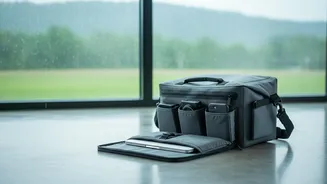
Since your main bag is the first, but not only, line of defence, think in layers. The simplest upgrade is to place your laptop inside a secondary waterproof layer before putting it in your backpack. This could be a dedicated waterproof laptop sleeve, which offers both moisture protection and extra padding. For a more robust solution, especially for commuters, a lightweight 'dry bag'—the kind used for kayaking or hiking—provides a completely sealed environment. Even a large, durable plastic bag can serve as an effective emergency barrier inside your main backpack, ensuring that even if the outer bag gets soaked, your device remains dry.
Essential Accessories for Monsoon Protection
A few small, affordable accessories can dramatically boost your laptop's safety. Chief among them are silica gel packets. Tossing a few of these into your laptop bag is a highly effective way to absorb ambient moisture and combat humidity. These small packets create a drier microenvironment around your device, reducing the risk of internal condensation and corrosion. Another useful item is a keyboard skin. This flexible cover prevents water from seeping between the keys, one of the most common entry points for liquid damage. A surge protector is also wise, as monsoons often bring unstable power and lightning strikes that can damage your device while it's charging.
Emergency First Aid for a Wet Laptop
If the worst happens and your laptop gets wet, act immediately. Do not panic, and do not try to turn it on to see if it still works. First, power it off completely by holding down the power button for several seconds. Disconnect the charger and unplug all accessories, including USB drives and your mouse. If your laptop has a removable battery, take it out immediately. Gently blot the exterior with a lint-free cloth, avoiding any wiping or shaking motions that could spread the liquid further inside. Then, open the laptop and place it upside down in a 'V' shape on a dry towel. Let it air dry in a warm, well-ventilated room for at least 24 to 48 hours. Do not use a hairdryer, as the heat can cause more damage. After it is completely dry, you can try turning it on, but if it fails to work, take it to a professional repair service immediately.