


Adjust Your Screen to Eye Level
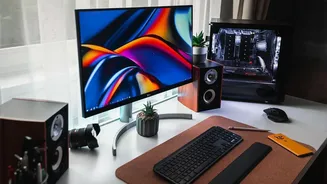
One of the most common mistakes is placing a monitor or laptop screen too low. When you constantly look down, you put significant strain on your neck and shoulders. The solution is simple: position your screen so the top of it is at or slightly below
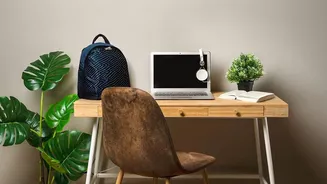
your eye level. You should be able to look straight ahead. If your monitor isn't adjustable, use a stack of sturdy books or a dedicated monitor stand to raise it. For laptop users, an external keyboard and mouse are essential if you plan to elevate your screen, as this allows you to maintain proper arm posture.
Mind the 90-Degree Rule for Your Arms
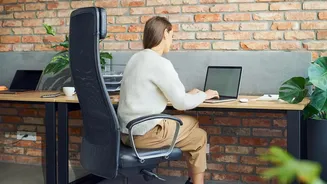
Your keyboard and mouse should be positioned to allow your elbows to bend at a roughly 90-degree angle, with your forearms parallel to the floor. Your wrists should be straight, not bent upwards or downwards, while typing or using the mouse. This posture minimizes strain on your wrists, arms, and shoulders. If you find yourself reaching for your mouse, bring it closer to your keyboard. Storing items under your desk can restrict your legroom and force you into an awkward posture, so keep that space clear.
Set Your Chair for Your Body
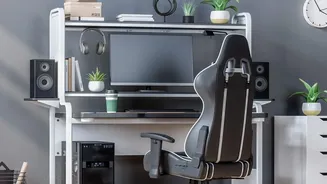
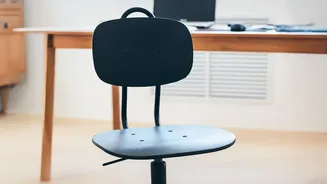
An ergonomic chair is a great investment, but you can improve comfort with any chair by adjusting it correctly. Your goal is to sit with your feet flat on the floor, with your knees bent at about a 90-degree angle and your thighs parallel to the ground. If your feet don't reach the floor, use a footrest or a stack of books to provide support. Your lower back should also be supported. If your chair lacks built-in lumbar support, a rolled-up towel or a small cushion placed in the small of your back can provide the necessary curve.
Control the Light and Reduce Glare
Eye strain is a major source of discomfort that many people overlook. Harsh overhead lighting or glare from a nearby window can cause headaches and fatigue. If possible, position your monitor perpendicular to any windows to reduce direct light. You can also use blinds to control the amount of natural light. Instead of relying solely on a bright overhead fixture, consider using a softer desk lamp to illuminate your workspace without creating distracting reflections on your screen.
Keep Essential Items Within Arm's Reach
Constantly twisting or reaching for your phone, a notepad, or a stapler can lead to gradual strain. Organize your desk so that the items you use most frequently are within easy reach without forcing you to bend or stretch awkwardly. A tidy, organized workspace not only improves your physical comfort but can also reduce mental clutter, helping you stay focused and productive throughout the day. Consider using simple desk organizers or clearing unnecessary items off your worksurface entirely.
Remember That the Best Posture Is Your Next Posture
No matter how perfect your ergonomic setup is, sitting in the same position for hours on end is not good for your body. The most important habit you can build is to move regularly. Aim to stand up, stretch, and walk around for a few minutes at least once every hour. Simple stretches, like tilting your head from side to side or extending your arms, can release tension in your neck and shoulders. These short breaks reset your posture and relieve the strain that accumulates from staying static for too long.