



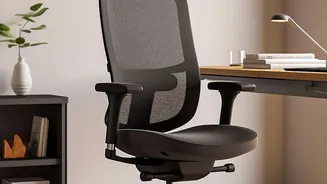

Start with Your Chair: The Foundation
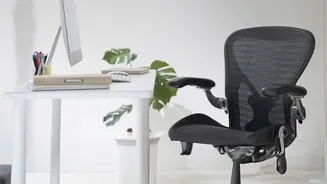
Your chair is the most critical piece of the ergonomic puzzle. An improperly adjusted chair can disrupt your posture and strain your spine. Start by adjusting the height so your feet rest flat on the floor, with your knees bent at roughly a 90-degree
angle. Your thighs should be parallel to the floor. If your feet dangle, use a footrest. Sit all the way back in the chair so your hips are pushed against the backrest. Adjust the lumbar support to fit the natural curve of your lower back, typically around your belt line. This prevents slouching, which flattens the spine's natural curve and increases pressure on your discs.
Position Your Monitor at Eye Level
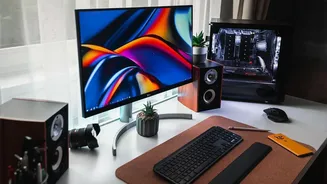
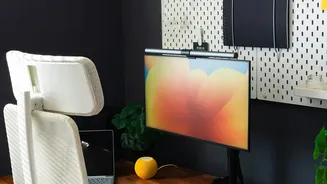
Hunching forward or craning your neck to see your screen is a major cause of both neck and back pain. To fix this, position your monitor so that the top of the screen is at or just below your eye level when you are sitting upright. Your eyes should gaze slightly downward to view the center of the screen. The monitor should be placed at about an arm's length away, which is generally between 20 and 40 inches. If you use a laptop, investing in a separate keyboard and a laptop stand is crucial to elevate the screen to the correct height.
Align Your Keyboard and Mouse
Reaching for your keyboard or mouse can cause shoulder and wrist strain, which can indirectly affect your back as you twist or lean. Your keyboard and mouse should be positioned at a height that allows your elbows to be bent at a 90 to 100-degree angle, with your shoulders relaxed and not hunched. Your forearms should be parallel to the ground. Keep the keyboard and mouse close to the front edge of the desk, about 5 cm away, so you don't have to stretch to reach them. Position them directly in front of you to avoid twisting your torso.
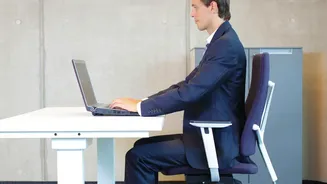
Achieve the 90-90-90 Rule
A simple guideline for good desk posture is the 90-90-90 rule. This refers to keeping a roughly 90-degree angle at three key points: your elbows, your hips, and your knees. With your feet flat on the floor, your knees should be at a 90-degree angle. Your hips should also be bent at approximately 90 degrees, with your back resting against the chair's support. Finally, your elbows should be bent at 90 degrees when your hands are on the keyboard. This alignment helps maintain a neutral, balanced posture that minimizes strain on your musculoskeletal system.
Incorporate Movement into Your Day
Even the most perfect ergonomic setup can't negate the negative effects of prolonged sitting. The human body is designed to move. Static postures reduce blood circulation and lead to muscle stiffness and fatigue. Set a reminder to get up, stretch, and walk around for a few minutes every hour. Simple movements like shoulder rolls, gentle neck stretches, or just standing up during a phone call can make a huge difference. This not only helps your back but also boosts circulation, energy levels, and mental focus.