



1. Pay Close Attention to the Face
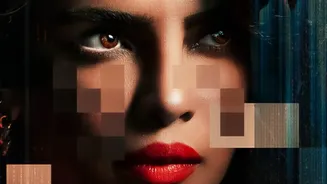
The human face is incredibly complex, and it’s often where deepfake technology fails first. Pay close attention to the eyes and mouth. Unnatural blinking patterns—or a complete lack of blinking—can be a dead giveaway. Real people blink about every 2-10
seconds, and each blink lasts 1-4 tenths of a second, but AI models often struggle to replicate this natural rhythm. Also, look for eyes that seem to stare without shifting, or where reflections in the pupils don't match the surrounding environment. Other facial giveaways include unnaturally smooth skin that lacks normal textures like lines or pores, and mismatched features, such as misaligned teeth or asymmetrical micro-expressions. The edges where the face meets the hair or neck can also be problematic for AI, often appearing blurry, flickering, or creating a subtle "halo" effect, especially when the person turns their head.
2. Listen for Audio Oddities
Our ears can often pick up what our eyes miss. Deepfake audio, or voice cloning, still has several tell-tale signs of artificial generation. Listen for speech that sounds robotic, flat, or lacks emotional inflection. A real person’s voice has natural variations in pitch, pace, and volume, whereas an AI voice might sound unusually consistent or deliver lines with an awkward cadence. Another clue is unnatural breathing sounds—or a complete absence of them. AI models often fail to insert breaths in logical places. The audio quality itself can be a red flag. If the audio sounds too clean and lacks any background noise or room echo, it might be artificially generated. Conversely, strange static or crackling could also indicate a synthetic voice.
3. Watch for Unnatural Movements
Deepfake software is primarily focused on manipulating the face, and it often struggles to sync these changes with the rest of the body. Look for jerky or robotic head and neck movements that seem disconnected from the torso. Gestures might appear awkward, and the physics can feel wrong, especially during quick movements. Accessories are another area to watch. Glasses may have strange glares or reflections that don't match the lighting, while jewelry like earrings might flicker, change shape, or move unnaturally against the skin. Hair is particularly difficult for AI to render realistically; individual strands might blur together, appear helmet-like, or fail to move correctly with the person's head.
4. Check the Source and Context
Sometimes the most powerful detection tool isn't technical analysis, but critical thinking. Before you even analyze the pixels, consider the source of the video. Was it posted by a reputable news organization or an anonymous account on social media? Misinformation often spreads through unverified channels. Ask yourself if the content is plausible. Would this public figure really say or do this? If a video seems designed to provoke a strong emotional reaction like fear or anger, it's worth being extra skeptical. This is a common tactic used to make manipulated content go viral. Taking a moment to question the origin and intent of a video is a crucial step in separating authentic content from malicious fakes.
5. Use Digital Verification Tools
While human observation is key, several digital tools can help with verification. A simple but effective technique is a reverse image search. Take a few screenshots of the video and upload them to a service like Google Images. This can help you find the original, un-manipulated version of the video or see if the imagery has been used in a different context before. For more advanced checks, there are specialized AI detection platforms, some of which are available for public use. Tools from academic institutions or companies like Hive offer web-based scanners where you can upload a file for analysis. While no single tool is foolproof, they can provide an additional layer of verification by scanning for technical artifacts and inconsistencies that the human eye might miss.