








Use a 'Spending-Only' UPI Account
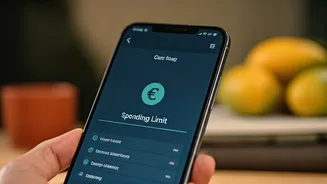
One of the most effective ways to control spending is to never link UPI to your main salary or savings account. Instead, open a separate, zero-balance digital savings account. At the start of each month, transfer only your designated "spending" budget
into it. [8] Link your UPI apps exclusively to this account. When the balance hits zero, your UPI payments will simply stop going through, creating a hard stop for your discretionary spends. [8, 23] This single change prevents the seamless, frictionless nature of UPI from quietly draining your long-term savings. [19]
Embrace UPI Lite for Small Expenses
Think of UPI Lite as a digital petty cash wallet. [21] It allows for small transactions (typically up to ₹500) without needing your PIN every time. [21] By loading a set amount (up to ₹2,000) into your UPI Lite wallet, you can handle daily expenses like tea, snacks, or auto fares without cluttering your main bank statement. [8, 21] This has a dual benefit: it makes you more conscious of small spends and can help you avoid bank charges for exceeding free transaction limits, as these wallet transactions don't hit your core banking system each time. [8, 22]
Audit Your UPI AutoPay Mandates
UPI AutoPay is incredibly convenient for subscriptions, EMIs, and bills, but it's also a classic 'set and forget' trap. [18] Money quietly leaves your account for services you may no longer use. [19] Make it a habit to review your active mandates every couple of months. Check your UPI app's settings for the 'AutoPay' or 'Mandates' section. You might find subscriptions to OTT platforms you don't watch or apps you no longer need. Cancelling just a few can add up to significant annual savings.
Make This Your #1 Security Rule: You NEVER Need a PIN to Receive Money
This is the golden rule of UPI safety. Fraudsters often use 'collect request' scams, where they send you a payment request disguised as a refund or cashback offer. [3] They create a sense of urgency, hoping you'll approve it by entering your PIN. [5] Remember, entering your UPI PIN only ever does one thing: sends money *from* your account. [2] If someone is genuinely sending you money, it will arrive automatically. There is no action, and certainly no PIN, required on your end to receive funds. [7] Also, be wary of phishing links sent via SMS or email that mimic payment pages. [2]
Treat Credit on UPI with Caution
A newer feature rolling out is the 'Credit Line on UPI', which allows banks to offer pre-approved, short-term credit directly through your UPI app. [11, 13] This can be a lifesaver in an emergency, letting you pay even with a low bank balance and repay later. [13] However, it is a form of borrowing. Before using it, understand the terms, such as the interest-free period, interest rates after that, and any penalties for late repayment. [6, 14] Use it responsibly for essential needs, not for casual overspending, to avoid it damaging your credit score. [6]
Use In-App Tools for Budgeting
Many UPI apps now include features to track and categorise your spending, but most users ignore them. [24, 26] Explore your app's 'Spend Insights' or 'Expense Tracking' features. These tools often provide a clear, visual breakdown of where your money is going—how much on food, transport, shopping, etc. [19, 24] Making it a monthly ritual to review this summary can reveal surprising spending patterns. It transforms your UPI history from a simple log into a powerful, personalized budgeting tool that can guide smarter financial decisions. [12]