






Your Foundation: The Ergonomic Chair
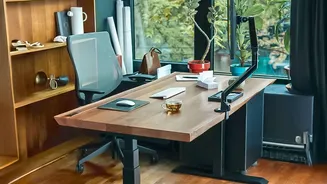
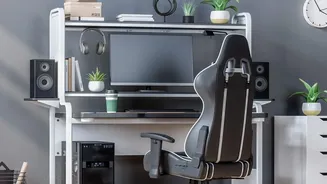
Working from a dining chair or the edge of your bed is a recipe for back pain. An ergonomic chair is an investment in your health. Look for one that offers adjustable height and solid lumbar support to maintain the natural curve of your spine. Your feet
should rest flat on the floor with your thighs parallel to it. If a new chair isn't in the budget, you can significantly upgrade any existing chair with a lumbar support cushion. Even a rolled-up towel placed at your lower back can provide temporary relief and encourage better posture. The armrests should be positioned to let your shoulders relax. A good chair is the foundation of a comfortable workspace, reducing physical strain and helping you focus for longer periods.
The Right Height: Desk and Screen Position
Hunching over a laptop is one of the biggest causes of neck and shoulder pain. The golden rule is to position your screen so the top is at or slightly below eye level, about an arm's length away. For laptop users, this is impossible without help. A simple laptop stand is a non-negotiable accessory. In a pinch, a sturdy stack of books works just as well. This simple adjustment prevents you from craning your neck downwards for hours. Using an external keyboard and mouse allows you to position your hands and wrists correctly, keeping your elbows at a 90-degree angle and close to your body. This setup, known as a neutral posture, minimizes strain on your joints and muscles.
Let There Be Light: Smart Illumination
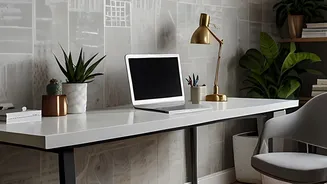
Bad lighting doesn't just look unprofessional on video calls; it causes significant eye strain. The single overhead light in most rooms is often too harsh or creates glare. Ideally, your primary light source, like a window, should be to the side of your screen, not directly in front or behind it. To supplement this, use a desk lamp for focused 'task lighting' on your papers or keyboard. Adjustable LED lamps are great because you can control both the brightness and warmth. For video calls, a simple ring light or even a well-placed lamp can eliminate shadows and create a more professional look. The goal is to have the brightness of your screen match the ambient light in the room, which prevents your eyes from constantly readjusting.
Beyond the Basics: Essential Accessories
A few small additions can make a huge difference. If your feet don't touch the ground when seated, a footrest is crucial for proper posture and circulation; a shoebox or a firm cushion can serve as a makeshift solution. A desk mat can provide wrist support and reduce strain from typing. To combat the inevitable cable chaos, simple binder clips or dedicated cable organizers can keep your desk tidy and your mind clear. For those long hours staring at a screen, following the 20-20-20 rule is a must: every 20 minutes, look at something 20 feet away for 20 seconds to relax your eye muscles.
Mindful Space: Declutter and Define
In many Indian homes, a home office is a corner of a bedroom or living room, making the line between work and life blurry. Creating a defined workspace is key for mental comfort. Even if it's a small desk, keep it organised. A cluttered desk can lead to a cluttered mind. Use vertical storage like wall-mounted shelves or pegboards to save precious floor space, a common issue in urban apartments. At the end of the day, put your work away. Closing your laptop, tidying your papers, and turning off your desk lamp is a powerful ritual that signals to your brain that the workday is over, helping you to properly disconnect and relax.