





Understanding Phishing and Vishing Attacks
Phishing is a common technique where scammers send emails or text messages pretending to be from a trusted source, like your bank or an e-commerce site. These messages often create a sense of urgency, warning that your account is blocked or KYC verification
is pending, to trick you into clicking a malicious link. The goal is to lead you to a fake website that looks genuine, where you might enter your login ID, password, or PIN. A variation of this is 'vishing,' where fraudsters call you, posing as bank officials or customer support, to coax you into sharing sensitive details like an OTP or CVV. Remember, legitimate banks and financial institutions will never ask for your PIN, OTP, or full card details over the phone, email, or SMS.
How to Spot and Avoid Phishing Links
Your first line of defence is vigilance. Before clicking any link, inspect it carefully. Scammers often use URLs that are slight misspellings of legitimate websites. Look for grammatical errors or an unprofessional tone in the message, as these are common red flags. Always be wary of messages that create panic or demand immediate action. Instead of clicking the link provided in a message, it is always safer to manually type the official website address into your browser or use the official app. Another key habit is to enable multi-factor authentication (2FA) wherever possible. This adds an extra layer of security, usually an OTP or biometric scan, making it much harder for anyone to access your accounts even if they steal your password.
The Rise of QR Code Scams
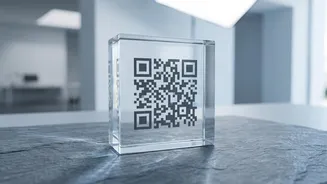
QR codes offer immense convenience but have also become a tool for fraud, a practice known as 'quishing'. Scammers exploit the fact that you cannot see the destination URL hidden within a QR code. A common tactic involves fraudsters replacing legitimate QR codes at shops, restaurants, or public places with their own malicious ones. When you scan the fake code to make a payment, it might lead you to a phishing website or, worse, initiate an unauthorized debit from your account. A particularly devious scam involves sending a QR code and asking you to scan it to 'receive' money. In reality, scanning a QR code and entering your UPI PIN almost always means you are sending money, not receiving it.
Securing Your QR Code and UPI Transactions
The most important rule for UPI is simple: you never need to enter your PIN to receive money. If someone asks you to do so, it is a scam. When scanning a QR code to pay, most smartphone cameras now offer a preview of the destination link before you open it. Take a moment to verify that the URL is legitimate and starts with 'https://'. Be physically cautious with QR codes in public spaces; check if the code is a sticker placed over another one, as this is a sign of tampering. For maximum security, only use verified payment apps downloaded from official sources like the Google Play Store or Apple App Store. Regularly monitor your transaction history and enable SMS or email alerts for all debits to catch any suspicious activity immediately.
General Best Practices for Digital Safety
Beyond specific scams, good digital hygiene is crucial. Use strong, unique passwords for all your financial accounts and change them periodically. Avoid conducting financial transactions when connected to public or free Wi-Fi networks, as these are often unsecured and can be monitored by hackers. Always keep your phone's operating system and your payment apps updated to ensure you have the latest security patches. According to RBI guidelines, payment aggregators must ensure that any refunds are credited back to the original source of payment, not a proprietary wallet, unless you agree otherwise. This helps prevent your money from getting locked into a specific platform. Finally, if you ever suspect you have been a victim of fraud, report it to your bank and the National Cyber Crime Reporting Portal immediately.