



Why Your Setup Is a Health Issue
Working for eight or more hours in a poorly arranged space doesn't just cause temporary discomfort; it can lead to chronic health problems. Poor posture is linked to back and neck pain, headaches, and even issues you might not expect, like heartburn,
poor digestion, and breathing difficulties. Over time, a slouched position can cause compression on the discs in your spine, leading to premature degeneration and chronic pain. The gradual strain from reaching for a mouse or craning your neck to see a screen can result in repetitive strain injuries (RSIs) like carpal tunnel syndrome or tendinitis. The good news is that making small, intentional adjustments to your workspace can provide significant relief and prevent long-term damage.
Start With Your Chair: The Foundation of Good Posture
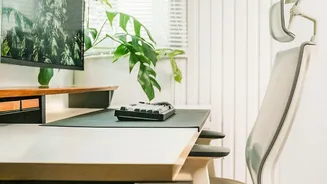
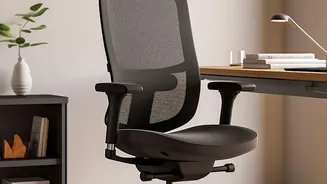
Your chair is the most critical piece of the ergonomic puzzle. The goal is to create a stable, supportive base for your body. Start by adjusting the height so that your feet are resting flat on the floor with your thighs parallel to it. Your knees should be at a 90-degree angle or slightly lower than your hips. If your feet don't reach the floor, use a footrest. Sit back fully in the chair so your spine is supported by the backrest, especially the natural curve of your lower back. If your chair has armrests, they should be positioned so your shoulders are relaxed and your elbows can rest gently, forming a 90-degree angle.
Position Your Desk and Screen Correctly
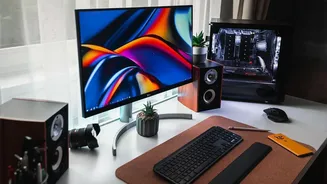
Once your chair is set, turn your attention to your desk and monitor. The top of your computer screen should be at or just below your eye level. This prevents you from tilting your head up or down, which strains the neck muscles. A good rule of thumb is to position the monitor about an arm's length away from you. If you work on a laptop, use a stand or a stack of books to elevate the screen to the correct height and use an external keyboard and mouse. This separation allows you to position both the screen and your keyboard independently for optimal posture.
Arrange Your Keyboard and Mouse for Comfort
Your keyboard and mouse should be close enough that you don't have to reach for them. When typing, your elbows should be bent at a 90-degree angle, close to your body, with your forearms parallel to the floor. Your wrists should be straight, not bent up or down. If your desk is too high to achieve this, consider a keyboard tray that can be adjusted to a lower position. Placing your mouse at the same height and right next to your keyboard prevents the kind of reaching that causes shoulder strain over time. Keep any other frequently used items, like your phone or a notepad, within easy reach to avoid constant twisting and bending.
Don’t Forget to Move
Even the most perfect ergonomic setup can't compensate for a completely sedentary day. The human body is designed to move. Aim to take a break from sitting every 30 to 50 minutes. Stand up, stretch, or walk around for a few minutes to improve circulation and relieve pressure on your spine. Simple desk exercises like chin tucks and shoulder rolls can also help alleviate muscle tension. To combat eye strain, follow the 20-20-20 rule: every 20 minutes, look at something 20 feet away for at least 20 seconds. This simple habit gives your eyes a much-needed rest from focusing on a close-up screen.