







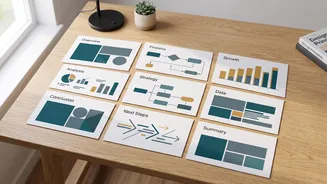
The Old Way vs. The New Workflow
Traditionally, creating a presentation was a manual, multi-step chore: outlining content, breaking it into slides, designing each one, and endlessly tweaking layouts. Today’s AI-powered workflow automates the most time-consuming parts, freeing students
to focus on the quality of their message and delivery. Instead of one magic tool, the key is using a series of specialised AIs for each stage of the process, from structuring the narrative to polishing the final visuals. This approach turns a daunting task into a manageable and even creative one.
Step 1: Start With a Strong Summary
The quality of your AI-generated presentation depends entirely on the quality of your input. Before engaging any AI presentation maker, ensure your text summary is clean and well-structured. Use clear headings for different sections, keep paragraphs concise, and highlight the key points you want to emphasize. Many AI tools can work directly with long documents, but a strong summary acts as a better blueprint, guiding the AI to create a more focused and logical slide structure. This initial step is crucial for avoiding cluttered or confusing output.
Step 2: Choose Your AI Presentation Builder
A variety of powerful AI presentation makers are available, each with slightly different strengths. Tools like Gamma are popular for their ability to quickly generate a full, web-first visual story from a simple prompt or pasted text. For students already working within specific ecosystems, Microsoft Copilot for PowerPoint and Gemini for Google Slides offer native integration, allowing you to create decks from documents you already have. Others, like Beautiful.ai, focus on maintaining design consistency with smart templates that automatically adjust to your content.
Step 3: Generate the First Draft in Seconds
This is where the magic happens. Once you've chosen your tool, you can simply paste your summary or upload your document. The AI will analyze the content, identify the logical structure, and generate a complete slide deck. This first draft typically includes titles, body text broken into bullet points, and even suggested visuals. Tools like Gamma and Presentations.AI are known for creating a polished first version in under a minute, handling the initial structure, copy, and layout. This draft is not the end product, but a powerful starting point that saves hours of manual work.
Step 4: The Human Touch – Refine and Edit
AI provides an excellent first draft, but human oversight is essential for a polished, credible presentation. Review every slide for accuracy, especially when dealing with academic or technical content, as some general-purpose AI can misinterpret data or citations. Edit the AI-generated text to match your personal voice and the tone required for your class. You may need to rewrite sentences for clarity, reorder points for better flow, or add personal insights that the AI could not have known. This is your opportunity to elevate the content from generic to exceptional.
Step 5: Enhance Visuals and Finalize Design
With the core content in place, focus on the visuals. Most AI presentation tools will suggest images or icons, but you can refine these choices. Platforms like Canva use AI (Magic Design) to offer a vast library of assets and greater design control. You can also ask the AI to generate custom images or infographics to better illustrate complex points. Finally, review the entire deck for consistency in branding, fonts, and colors. Many tools allow you to apply a theme or template to ensure a professional, cohesive look across all slides before you export the final file.