





The Golden Rule of UPI
If there is one principle to remember, it is this: you only need to enter your UPI PIN to send money, not to receive it. Almost every UPI scam is designed to trick you into entering your PIN to approve what you believe is an incoming payment, refund,
or prize. If someone asks you to enter your PIN to receive funds, it is a scam. Legitimate incoming transfers are automatic and require no action or PIN from the receiver.
Decoding Phishing and Smishing Attacks
Phishing involves scammers sending deceptive emails or messages (smishing) that appear to be from a legitimate source, like your bank or a well-known company. These messages create a sense of urgency, claiming your account will be blocked or KYC has expired, and include a link. Clicking this link leads to a fake website that looks real, designed to steal your UPI PIN, OTP, or other banking credentials. Never click on links from unknown or unsolicited sources. Banks and legitimate companies will never ask for your PIN or OTP over email or SMS.
The QR Code Trap
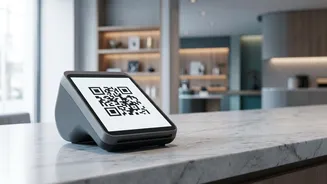
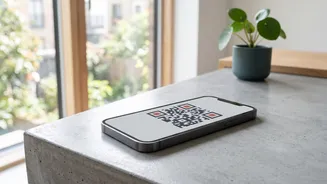
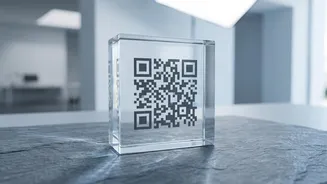
Scammers exploit the convenience of QR codes in several ways. A common trick involves sending you a QR code and telling you to scan it to receive money. However, scanning a QR code is always for making a payment. When you scan their code and enter your PIN, you are actually sending money to the scammer. Another tactic involves fraudsters pasting their own QR sticker over a legitimate merchant's code at a shop. Unsuspecting customers then scan the fake code and inadvertently pay the scammer. Always verify the recipient's name on your UPI app screen before entering your PIN.
Beware of Fake Payment Requests
Fraudsters often misuse the 'request money' or 'collect request' feature on UPI apps. They will send you a payment request disguised with a message like “Approve to receive your refund” or “Enter PIN for cashback.” If you approve the request and enter your PIN, you are authorising a debit from your account, not receiving money. Always read the details of any payment request carefully. Your UPI app will clearly state if you are about to send money. Decline any request from an unknown person or for a transaction you do not recognize.
The Dangers of Remote Access Apps
Posing as customer support from a bank or payment app, a scammer might convince you to install a screen-sharing application (like AnyDesk or TeamViewer) to help “fix an issue” on your phone. Once you grant access, they can see everything on your screen. They will watch you open your UPI app and record your PIN as you type it. With this information, they can gain full control of your account and make unauthorized transactions. No legitimate customer service agent will ever ask you to download a third-party app for support.
What To Do If You Are Scammed
If you suspect you have fallen victim to a UPI scam, time is critical. First, immediately call the national cybercrime reporting helpline at 1930 to report the fraud and try to freeze the transaction. Next, report the fraudulent transaction within your UPI app and inform your bank to block your account if necessary. You should also file a formal complaint on the National Cyber Crime Reporting Portal (cybercrime.gov.in). Providing all details quickly, including the transaction ID and screenshots, increases the chances of recovering your funds.