







Verify the Recipient's Name and UPI ID
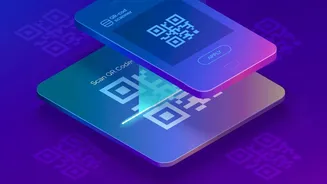
This is the most crucial step. After you scan a QR code, your UPI app will display the name of the person or business you are about to pay. Always pause and check if this name matches the merchant you are paying. Scammers often create convincing fake
QR codes that redirect your payment to their own account. If you're at 'Reliable Electronics', the payment screen should show 'Reliable Electronics' or the proprietor's name, not an unfamiliar individual's name. If there's a mismatch, do not proceed with the payment.
Physically Inspect the QR Code Sticker
Take a moment to look at the physical QR code itself, especially in public places like parking lots, shops, or restaurants. A common scam involves fraudsters pasting their own QR code sticker over the merchant's legitimate one. Look for signs of tampering. Does the sticker look like it's placed on top of another one? Are the edges peeling? Does the print quality look poor or different from the rest of the signage? If anything seems off, it's safer to ask the merchant to confirm or use an alternative payment method.
Remember the Golden Rule: Never Scan to Receive Money
This is a fundamental principle of UPI payments that scammers frequently exploit. You only need to scan a QR code to send money, never to receive it. Fraudsters, especially in online marketplaces or refund scenarios, might send you a QR code and claim you need to scan it to get paid. If you scan it and enter your PIN, you will be authorising a payment from your account, not to it. Legitimate payments into your account do not require any action, scanning, or PIN entry on your part.
Your UPI PIN is Only for Paying, Not Receiving
Reinforcing the previous point, your UPI PIN is the key that authorises money to leave your account. You should never have to enter your PIN to receive money. Scammers create a sense of urgency or confusion, telling you that entering your PIN will 'approve' the incoming credit. This is always false. If an app or person asks for your PIN to complete a refund or receive a payment, it is a scam. Treat your UPI PIN with the same security as you would your ATM PIN.
Be Cautious of Unexpected Payment Requests
Some scams don't even use a QR code you scan in person. They use the 'Collect Request' or 'Payment Request' feature on UPI apps. A fraudster might send you a payment request, hoping you will approve it by mistake, thinking you are receiving money. The message might even be manipulated to look like a credit notification. Always read the details on your payment app screen carefully. Does it say 'Pay' or 'Receive'? If you get an unexpected request from an unknown person, decline it immediately.
Double-Check the Amount Before Entering Your PIN
In a hurry, it's easy to overlook the amount you are about to pay. For static QR codes, where you have to enter the amount manually, always double-check that you've typed the correct figures. For dynamic QR codes, where the amount is pre-filled, confirm that it matches your bill. Before you press 'Pay' and enter your PIN, take a final look at the recipient's name and the transaction amount on the confirmation screen. This simple habit can prevent costly mistakes.
Avoid Scanning Codes from Unsolicited Messages
Fraudsters often send malicious QR codes via WhatsApp, SMS, or email. These messages might promise a prize, a refund, or a limited-time offer to create a sense of urgency. Scanning these codes can lead to a fraudulent payment page or even install malware on your phone. As a rule, never scan QR codes from unknown or untrusted sources. If a known contact sends a QR code unexpectedly, it is wise to verify with them through a separate channel, like a phone call, before scanning.