







Start with Your Foundation: The Chair
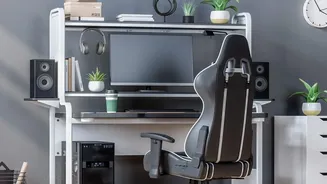
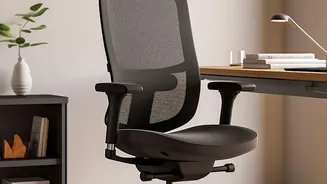
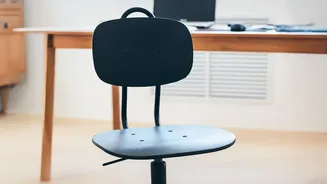
An ergonomic chair is a powerful tool, but only if it’s calibrated to your body. The goal is to achieve a neutral, supported posture. Start by adjusting the seat height so your feet rest flat on the floor, with your knees forming roughly a 90-degree angle.
If your feet dangle, use a footrest. Next, adjust the seat depth. You should have a gap of two to three fingers between the edge of the seat and the back of your knees. Finally, position the lumbar support. The firmest point should fit into the natural curve of your lower back, roughly at your belt line, to prevent slouching. This ensures your spine maintains its natural S-shape, reducing pressure on your discs.
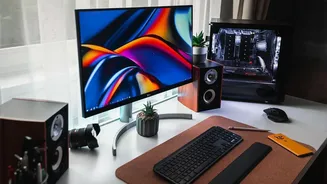
Align Your View: Monitor and Screen Height
Constantly tilting your head up or down is a direct path to neck strain. To find the right height, sit back in your adjusted chair and look straight ahead. The top of your monitor should be at or slightly below your eye level. If you wear bifocals or progressive lenses, you may need to position the monitor a bit lower to avoid tilting your head back. Distance matters, too. The screen should be about an arm's length away, close enough to read text easily without leaning forward. This placement keeps your head and neck balanced in line with your torso, preventing the muscle fatigue that builds throughout the day.
Position Your Peripherals: Keyboard and Mouse
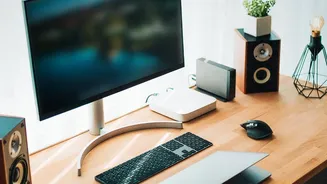
Your arms and wrists also need care. The goal is to keep your wrists straight and your shoulders relaxed. Position your keyboard and mouse at a height that allows your elbows to be bent at an open angle, around 90 degrees, while keeping them close to your body. Your hands should be in a straight line with your forearms, not bent up or down. If you find yourself shrugging your shoulders to reach the keyboard, your desk or chair is likely too high. Proper armrest adjustment can help here; set them so they gently support your elbows without pushing your shoulders upward.
Embrace Dynamic Sitting: The Importance of Movement
Even the most perfect posture isn't meant to be held statically for hours. Experts emphasize the importance of "dynamic sitting"—changing your position throughout the day. If your chair has a recline function, unlock it and adjust the tension. It should be loose enough to let you lean back easily but tight enough to support you when you sit upright. A slightly reclined posture of 100 to 110 degrees can actually reduce pressure on your spine compared to sitting rigidly upright. More importantly, build movement into your routine. Aim to stand up, stretch, or walk for a few minutes every hour. This promotes blood flow and gives your muscles a much-needed reset.