





The Problem with a Static Setup
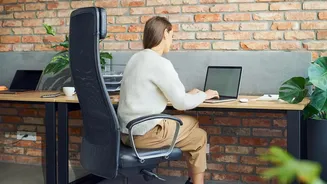
Many of us designed our home offices in a rush, picking a spot and sticking with it. The issue is that work isn't a single, static activity. Your body isn't designed to stay in one fixed position for hours. Prolonged sitting in the same posture can lead
to a host of issues, including back pain, neck strain, and general discomfort, which ultimately harm your focus and productivity. We might start the day feeling comfortable, but as tasks change, we lean in, slouch, or reach, and our posture slowly degrades. This 'habit drift' means a setup that felt fine at 9 AM can be a source of pain by the afternoon. The solution isn't to find one single 'perfect' posture, but to create an environment that supports dynamic movement.
Tuning for a Two-Dimensional World
The rise of video conferencing has turned many professionals into part-time broadcasters, but our desks are rarely ready for their close-up. Hunching over a laptop for calls results in an unflattering angle and significant neck strain. A simple yet effective change is to elevate your laptop to eye level using a riser or a stack of books. For even better results, an external webcam placed at eye level on a monitor allows for more natural conversation and better posture. Good lighting is also key; a simple ring light or positioning your desk to face a window can dramatically improve how you appear and reduce eye strain from harsh overhead lights.
The Shift Between Deep Work and Collaboration
Your day is likely a mix of different modes of work. You might have hours dedicated to deep focus, requiring minimal distractions, followed by a flurry of collaborative team meetings. Your desk setup should accommodate these shifts. For deep work, a clean, organized space is paramount to minimizing distractions. This might mean having easy storage to clear away clutter. When it's time for collaboration, your setup might need to change. Perhaps you swing a monitor around to share with a family member who also works from home, or you switch from a large monitor to a laptop to move to a different room. The key is flexibility and recognizing that the setup for heads-down coding is different from the one for a brainstorming session.
Embracing the Hybrid Hustle
For hybrid workers, the challenge is twofold: maintaining an ergonomic setup in two different locations. The temptation to simply work from a laptop on the dining table at home is strong, but it's a recipe for discomfort. Rather than duplicating your office setup, consider mobile ergonomic tools. A portable laptop stand, a travel-sized ergonomic mouse and keyboard, and a seat cushion or lumbar support can transform any temporary space into a more comfortable and productive workstation. The goal is to create consistency in your posture, ensuring your wrists, back, and neck are supported whether you're at your corporate desk or your kitchen counter.
From Static to Dynamic Movement
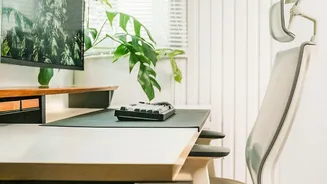
The most significant evolution in desk setups is the move toward dynamic work. This isn't just about getting a standing desk; in fact, standing all day can cause its own set of problems, like leg fatigue and back pain. The real benefit comes from alternating between sitting and standing. A height-adjustable desk or a converter allows you to easily change positions throughout the day, which boosts circulation, engages different muscle groups, and can increase energy levels. Even without a standing desk, you can introduce more movement. Take short, regular breaks to walk around and stretch. The 20-20-20 rule—every 20 minutes, look at something 20 feet away for 20 seconds—can help reduce eye strain.