







The Pre-Call 'Pat Down'
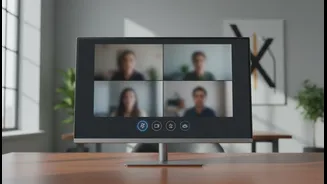
The most effective privacy habit begins before you even click 'Join'. Just as you would check for your keys and wallet before leaving the house, develop a routine to check your meeting settings. Many platforms like Zoom and Microsoft Teams allow you to set your camera
and microphone to be off by default when joining a meeting. Make this your standard. This simple pre-emptive step prevents you from accidentally broadcasting an unprepared-for view of your room or a private conversation. Before the meeting is scheduled to start, take a moment to ensure your virtual background is selected or your physical background is clear of any personal or sensitive information. This 'pre-call pat down' habit moves privacy from an afterthought to a foundational step.
Mastering the Mute Toggle
The 'hot mic' is a classic and entirely avoidable pitfall of virtual meetings. Background noise, side conversations, or an unexpected interruption can derail a meeting and compromise professionalism and privacy. The solution is to cultivate a habit of aggressive muting. Your microphone should be muted at all times unless you are actively speaking. Don't rely on remembering to mute yourself after you speak; instead, make a habit of unmuting only when you intend to contribute. This 'opt-in' approach to audio significantly reduces the chance of accidental sound sharing. It’s a simple switch in mindset—from 'mute when not talking' to 'unmute to talk'—that has a massive impact on meeting hygiene and prevents you from becoming the subject of a workplace anecdote.
Taming the Video Feed
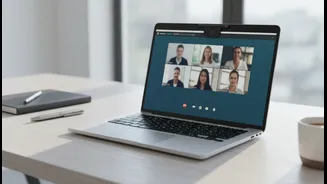
Your video feed is a window into your personal space, and it requires conscious management. While being on camera can build connection, it’s not always necessary or wise. Develop the habit of asking yourself if your video is truly required for a specific meeting. If not, keeping it off is a valid choice. When you are on camera, be mindful of your background. Family photos, personal items, or a messy room can be distracting and reveal more than you intend. Use the blur or virtual background features offered by most platforms to maintain a professional appearance and protect the privacy of your surroundings. It’s also wise to get into the habit of using a private room and wearing headphones, especially when discussing sensitive information, to prevent others in your household from seeing or hearing confidential details.
Screen Sharing with Precision
Screen sharing is a powerful collaboration tool, but it's also one of the biggest privacy risks in online meetings. A single mistake can expose confidential documents, private messages, or embarrassing browser tabs to your entire team. The most important habit to build is to share a specific application or window, not your entire desktop. Before you share, close all unnecessary tabs and applications to prevent accidental exposure. Make it a routine to double-check what will be visible before you click the share button. Disabling notifications during your presentation can also prevent a private message from popping up for everyone to see. Treating screen sharing with this level of precision turns it from a risk into a secure and effective tool.
The Art of a Clean Exit
The meeting isn't over until you've fully disconnected. It’s surprisingly common for participants to think they’ve left a meeting when they’re still connected, with their microphone or camera potentially still active. This can lead to you overhearing conversations you shouldn't, or others hearing you. Don't just close your laptop lid or walk away. Develop the habit of actively finding and clicking the 'Leave' or 'End Meeting' button. Confirm that the meeting window has closed entirely. For hosts, it's good practice to end the meeting for all participants to ensure no one is left lingering in an empty virtual room. This final toggle habit ensures the meeting, and any access to your audio and video, concludes definitively.