








The Invisible Problem in Every Home
You’re on a seamless video call in your living room, but the moment you walk upstairs to your bedroom, the connection stutters and dies. Or perhaps your basement office is a digital black hole where emails refuse to send. This is a common complaint in homes
with more than one level. The Wi-Fi signal that feels all-powerful on one floor can become disappointingly weak just a few metres up or down. Many people assume the only fixes are expensive: a more powerful router, a Wi-Fi extender, or a complex mesh network. While those can be effective solutions, they often aren't the necessary first step. The root of the problem often lies in a simple misunderstanding of how Wi-Fi signals actually travel through your home, and it can frequently be addressed with a thirty-second adjustment.
How Your Wi-Fi Signal Really Travels
Think of the signal coming from your router’s antenna not as a sphere expanding in all directions, but more like a giant, flattened doughnut. The signal radiates outwards from the antenna in a direction that is perpendicular to the antenna itself. So, when an antenna is pointing straight up (vertically), the doughnut-shaped signal spreads out horizontally. This is perfect for covering a single floor, like in an apartment or a ranch-style house, as it blankets that entire level with a strong signal. However, that flat doughnut shape means very little signal is being sent directly up or down. This is why the room directly above or below your router can have a surprisingly weak connection; it's in the 'hole' of the doughnut, where the signal is weakest.
The Multi-Storey Solution: A Simple Tilt
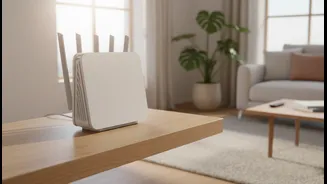
For those living in multi-storey homes, the fix is to cater to both horizontal and vertical coverage. If your router has two or more antennas, don't point them all in the same direction. Instead, leave one antenna pointing straight up (vertically) and position another one sideways (horizontally), parallel to the floor. The vertical antenna will handle signal distribution across the floor the router is on. The horizontal antenna, in turn, will radiate its signal vertically, sending it upwards to the floor above and downwards to the floor below. Some router manufacturers suggest angling the second antenna at 30 or 45 degrees instead of fully horizontal, which achieves a similar effect by creating a mix of horizontal and vertical signal paths. The key principle is diversity; by mixing the antenna orientations, you are no longer broadcasting on just one plane, but across multiple, filling in the gaps between floors.
Location, Location, Location
Of course, antenna position is only part of the equation. Where you place your router is just as critical for good coverage. Many people make the mistake of tucking their router away in a corner, inside a cabinet, or at one far end of the house. Since the signal radiates outward, placing it against an exterior wall means you are effectively broadcasting half of your Wi-Fi signal to the outdoors. For best results, position your router in a central location within your home. Furthermore, signals struggle to travel through dense materials. Avoid placing your router on the floor, where the signal can be absorbed. Elevating it on a table or shelf, ideally about one to one-and-a-half feet high, helps align the signal with most of your devices and allows it to travel more freely. Also, keep it away from other electronics like microwaves and large metal objects like refrigerators or mirrors, which can cause significant interference.
When a Simple Fix Isn't Enough
While adjusting antennas and router placement can create a dramatic improvement, some homes present bigger challenges. Very large houses, or those built with signal-blocking materials like thick concrete or plaster walls with metal lathe, may still have stubborn dead zones. In these cases, it might be time to consider more robust hardware solutions. Wi-Fi range extenders are a popular choice; they pick up your existing signal and rebroadcast it to extend its reach. Powerline adapters are another clever solution, using your home's existing electrical wiring to carry the internet signal to another part of the house. For the most seamless whole-home coverage, a mesh Wi-Fi system is often considered the gold standard. These systems use multiple nodes placed around the house to create a single, unified network that eliminates dead zones entirely.