






The Risk of Sharing Your Full Number
Handing over a photocopy of your Aadhaar card at a hotel desk or to a travel agent might seem routine, but it exposes you to significant risks. Once your full 12-digit number is shared, you lose control over it. Fraudsters can potentially use this information
for identity theft, creating fake documents, or even attempting to open bank accounts or apply for SIM cards in your name. While a simple photocopy alone may not be enough to drain your bank account, it's a critical piece of the puzzle for identity criminals. The Unique Identification Authority of India (UIDAI) has repeatedly cautioned citizens against sharing Aadhaar photocopies with unlicensed private entities like hotels, as this can lead to misuse. The core issue is over-sharing: providing your most sensitive identifier when it isn't legally required.
Your Best Defence: The Masked Aadhaar
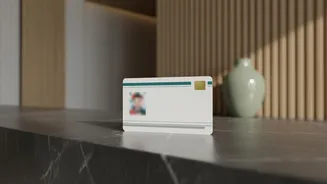
To combat these risks, UIDAI provides a simple and effective tool: the Masked Aadhaar. This is an official, legally valid version of your e-Aadhaar where the first eight digits of your Aadhaar number are hidden, displayed as 'XXXX-XXXX'. Only the last four digits are visible, which is sufficient for many verification purposes. This version still contains your name, address, photograph, and a scannable QR code for authentication, ensuring it serves as a valid proof of identity without unnecessarily exposing your complete number. Using a Masked Aadhaar is a proactive step to protect your privacy and reduce the chances of your data falling into the wrong hands.
How to Download Your Masked Aadhaar
Getting your Masked Aadhaar is a straightforward and free process that can be done online. You will need your Aadhaar number and the mobile number linked to it to receive a one-time password (OTP). Visit the official UIDAI portal (myaadhaar.uidai.gov.in) and select the 'Download Aadhaar' option. After entering your Aadhaar number and the captcha, you will see a checkbox that asks, “Do you want a masked Aadhaar?”. Simply tick this box before requesting the OTP. Once you enter the OTP sent to your registered mobile, you can download a password-protected PDF of your Masked Aadhaar. The password is a combination of the first four letters of your name (in capital letters) and your year of birth. You can also download it via the mAadhaar app or DigiLocker.
Travel Scenarios: When to Use It
As a traveller, you are frequently asked for ID. Knowing when a Masked Aadhaar is sufficient is key. For hotel check-ins, Masked Aadhaar is a perfectly valid identity document. Legally, hotels cannot demand your full Aadhaar number and are not permitted to keep photocopies unless they have a specific user license from UIDAI, which most do not. The same applies to booking train tickets or flights. While Aadhaar is an accepted ID, you can often use other government-issued proofs like a driver's license or passport. If you choose to use Aadhaar, presenting the masked version is the safer choice. The government itself encourages using digital verification through the official Aadhaar app, which allows you to share only necessary data with user consent, eliminating the need for physical copies altogether.
Smart Habits for Data Safety
Beyond just using a masked copy, adopt a few other smart habits. Avoid using public computers at internet cafes to download your e-Aadhaar, but if you must, ensure you permanently delete the downloaded files. When providing a physical photocopy, it is a good practice to write the date and the specific purpose across the document (e.g., 'For hotel check-in on July 30, 2026') to prevent it from being repurposed. Regularly check your Aadhaar authentication history on the UIDAI website to spot any unauthorised usage. Treat your Aadhaar number like you would your bank account or PAN card number—use it freely where necessary, but never post it on public platforms or hand it over without verifying the entity asking for it.