






Beyond the Basic Spam Filter
For years, email management meant manually creating folders and rules, a tedious process that barely kept pace with the flood of incoming messages. While platforms like Gmail and Outlook have long used basic filters to catch obvious spam, a new generation
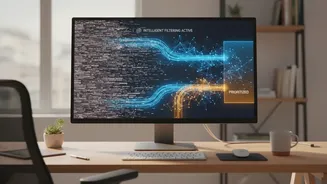
of smart tools takes this a giant leap forward. These are not just filters; they are intelligent assistants powered by artificial intelligence (AI) and machine learning. Unlike rigid, rule-based systems, these AI tools analyze the content and context of your messages, learn from your personal habits, and make intelligent decisions to organize your inbox for you. They understand the difference between a critical client request, a team update, a newsletter, and a promotional offer, sorting them automatically so you can focus on what truly requires your attention.
The Power of Seamless Integration
The real magic of these tools lies in their deep, seamless integration with the email platforms professionals already use every day: Gmail and Outlook. They don't force you to adopt a brand-new email client or change your address. Instead, they securely connect to your existing account, often through official Application Programming Interfaces (APIs). This allows them to work quietly in the background, directly within your familiar inbox environment. Whether you're using the web interface, a desktop app, or your mobile phone, the AI's organizational work is already done. This server-side approach means your 'SaneLater' folder or 'Priority' labels are consistent across all your devices without you having to configure anything twice.
How AI Learns What Matters to You
At the core of these smart filters is machine learning (ML) and natural language processing (NLP). When you first connect a tool like SaneBox or Superhuman, it analyzes your past email behavior. It looks at who you email most frequently, which messages you open and reply to quickly, and which ones you ignore or delete. This creates a personalized model of your priorities. As you continue to use your email, the AI constantly refines this model. If you move an email from your focused inbox to a 'Newsletters' folder, the AI learns that sender isn't a top priority and will route similar messages there in the future. This ongoing feedback loop ensures the system adapts to your evolving workflow and becomes more accurate over time.
From Clutter to Clarity: Key Workflow Benefits
Integrating an AI filter transforms your daily routine. The primary benefit is automated triage, which saves professionals a significant amount of time otherwise spent on manual sorting. Instead of a single, chaotic stream, your inbox is intelligently segmented. Urgent messages from key contacts land in your priority view, while newsletters, marketing emails, and non-critical notifications are bundled into separate folders for you to review later. This dramatically reduces distractions and context-switching, a major drain on productivity. Furthermore, many tools offer features like one-click unsubscribing, follow-up reminders for emails you haven't received a reply to, and even AI-assisted drafting to speed up your responses. The result is a calmer, more organized digital workspace that allows for deeper focus on substantive tasks.
Choosing the Right Intelligence Layer
The market for AI email assistants has grown, with most tools supporting both Gmail and Outlook. Some, like Microsoft Copilot and Google's Gemini, are built directly into their respective platforms. Others, such as SaneBox or Clean Email, act as a filtering layer on top of any email service. When choosing a tool, security and privacy are paramount. Reputable services use secure connections and have clear policies stating that they do not use your data for model training. Consider whether you need a simple, automated filter or a more comprehensive client with features like AI-powered summarization and response generation. Ultimately, the goal is to find a tool that aligns with your specific workflow and reduces the mental energy you spend simply managing your inbox.