







Why Your Phone Signal Is Unreliable
We've grown accustomed to constant connectivity, but mobile networks are far from infallible. In India, while network penetration is vast, dead zones are common. Think of trekking routes in the Himalayas, national parks like Jim Corbett or Periyar, or even
long stretches of highway between cities. It’s not just remote areas. During major festivals, public events, or natural disasters like floods, cell towers can become overwhelmed, rendering data services useless even in the heart of a metropolis. Relying solely on a live data connection for navigation is a gamble. When you truly need it for an emergency detour or to find the nearest hospital, that's precisely when the network is most likely to fail you.
How Offline Maps Save the Day
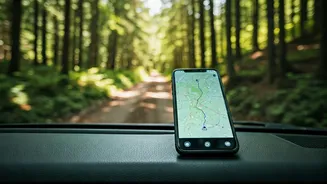
The magic of offline navigation lies in a simple fact: your phone’s GPS receiver does not need a mobile network or Wi-Fi to function. The GPS chip in your smartphone communicates directly with satellites orbiting the Earth to pinpoint your location. This service is free and globally available. The only thing a data connection does for apps like Google Maps is download the map imagery and route information in real-time. Offline mapping software circumvents this by allowing you to download entire regions—a city, a state, or a specific trail area—directly onto your phone's storage. When you're in a zero-cell zone, the app uses the pre-downloaded map data and your phone’s live GPS location to show you exactly where you are and guide you to your destination, no signal required.
Top Apps for Offline Navigation
Choosing the right app depends on your needs. You don't need to download all of them, just the one that best fits your likely use case. Here are some of the most reliable options available for both Android and iOS: **Google Maps:** The most obvious choice, and it's already on most phones. Its offline feature is robust for urban and road navigation. You can download maps for cities or large regions, and it will provide driving directions. However, it lacks the detailed topographic information or trail markings needed for serious hiking. **Maps.me:** A long-time favorite for travellers. It uses OpenStreetMap data, which is often incredibly detailed, showing footpaths, small shops, and points of interest that Google Maps might miss. The entire app is designed to work offline, and downloading maps of entire countries is easy. It's completely free. **Organic Maps:** A fork of Maps.me, this app is for the privacy-conscious user. It offers the same detailed OpenStreetMap data but with no ads, no trackers, and no data collection. It’s clean, fast, and focuses on the essentials: offline search, walking, cycling, and driving directions. **Gaia GPS / AllTrails:** If you're a serious trekker or mountaineer, these specialist apps are worth the investment. While they have free versions, their true power is unlocked with a subscription. This gives you access to multiple map layers, including detailed topographic maps from sources like the Survey of India, satellite imagery, and weather overlays. You can plan and follow complex routes with precision.
Best Practices for Offline Mapping
Simply having the app isn't enough; you need to be prepared. Before you lose your signal, follow these simple steps. First, **download maps on Wi-Fi** before you leave home. Map files can be large, and you don’t want to use up your mobile data. Download the map for your destination as well as the surrounding areas, just in case your plans change. Second, **pack a power bank**. Using GPS, even in offline mode, can be a significant drain on your phone's battery. A fully charged power bank is a non-negotiable accessory for any trip where you'll rely on your phone for navigation. Finally, **familiarize yourself with the app**. Open it, search for a location, and try getting directions while your phone is in airplane mode. Understanding the app’s features and quirks before you actually need it is crucial. A tool is only useful if you know how to use it.