







Meet Your New AI Co-Pilot
For decades, Adobe’s tools have been the digital equivalent of a blank canvas and a set of brushes. Now, they come with a built-in apprentice. Adobe has woven a sophisticated layer of artificial intelligence, collectively powered by its Firefly family
of models, directly into the fabric of applications like Photoshop, Premiere Pro, and Illustrator. This isn't just about adding a few new buttons; it's a new paradigm where a creative agent can handle tedious work, suggest ideas, and execute complex, multi-step tasks from simple, conversational prompts. Instead of just performing a single action, this AI assistant can orchestrate an entire workflow, such as taking a product photo, removing the background, generating several new background options, and resizing the final images for different social media platforms, all from one instruction.
Revolutionizing Photo and Design Workflows
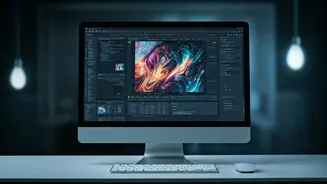
In Photoshop and Illustrator, the AI assistant marks a significant leap from manual execution to creative direction. The much-discussed Generative Fill has evolved, allowing users to not only add or remove objects but to do so using a reference image for style and content. Designers can type “generate a forest scene in the style of Van Gogh” and upload a reference painting to guide the AI. In Illustrator, the groundbreaking 'Text to Vector Graphic' feature allows for the creation of editable, scalable vector art from a text description, accelerating the ideation process for logos and icons. Beyond generation, the assistant acts as a production artist, taking on tasks like organizing layers, swapping backgrounds, or creating dozens of variations of an asset automatically.
The Smart Cutting Room for Video and Audio
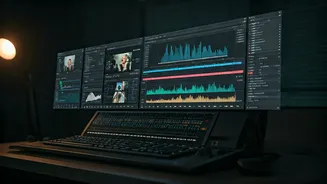
Video and audio editing, traditionally among the most time-intensive creative fields, are also being transformed. Within Premiere Pro, the AI assistant can act as a tireless assistant editor. It can analyze hours of footage, identify all the clips where a specific person is speaking, transcribe the dialogue, and even assemble a rough cut based on the script. The system can generate B-roll footage from text prompts, extend a clip that's too short using Generative Extend, and automatically enhance speech to remove background noise. For audio, tools can now generate custom sound effects from a description or translate spoken dialogue into multiple languages while preserving the speaker's original voice tone.
Commercially Safe and Ethically Trained
One of Adobe's key strategies in the AI race is its focus on commercial safety. A major concern for professionals using generative AI is copyright infringement. To address this, Adobe has trained its Firefly models on the vast library of Adobe Stock images, for which it compensates contributors, as well as on public domain content where copyright has expired. The company explicitly states it does not train its models on the personal content of its Creative Cloud customers. This approach allows Adobe to offer IP indemnification for content generated with Firefly, giving businesses the confidence to use these powerful tools in commercial projects without fearing legal challenges.
Redefining the Role of the Creative Professional
The introduction of such powerful assistants inevitably raises questions about the future of creative jobs. However, the prevailing view is that AI is not a replacement for human creativity but an augmentation of it. A recent Adobe survey revealed that 94 percent of creative professionals can produce content more quickly with AI, saving an average of 17 hours per week. The focus of the creative professional shifts from tedious execution to high-level strategy, taste, and storytelling. Learning how to effectively prompt and direct an AI—to become an 'art director' for the machine—is quickly becoming an essential skill. The AI handles the 'how,' freeing up the human to focus on the 'what' and 'why.'