






The Daily Deluge of Digital Demands
For freelancers and remote professionals, the email inbox is more than just a communication tool—it's the central hub of their business. It’s where client briefs arrive, invoices are sent, and critical feedback is shared. However, this also means it becomes
a chaotic repository of newsletters, promotional offers, platform notifications, and low-priority CCs. Professionals can spend a significant portion of their workday—some studies suggest up to 28%—simply sorting, reading, and responding to emails. This constant context-switching drains mental energy, disrupts deep work, and creates a persistent, low-level anxiety that an important message might be buried under a mountain of digital clutter.
Beyond the Basic Spam Filter
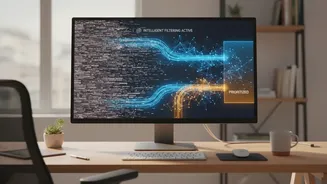
For years, our primary defense against email overload was the humble spam filter. While services like Gmail and Outlook have become incredibly effective at catching overtly malicious or junk mail, they do little to manage the sheer volume of legitimate, but non-urgent, messages. This is where smart email filtering, powered by artificial intelligence, changes the game. These tools go beyond simply identifying spam; they use machine learning and natural language processing (NLP) to understand the content, context, and importance of every single email. Think of it as a personal assistant for your inbox, capable of learning your priorities and communication patterns. It’s a shift from a defensive posture—blocking bad emails—to a proactive one: organizing the good ones.
The 'Inbox Zero' Philosophy, Reimagined by AI
The concept of 'Inbox Zero', coined by productivity expert Merlin Mann, was never about having literally zero messages. The goal is to minimize the amount of mental energy your brain spends in the inbox. Historically, achieving this required a rigid, manual system of folders, labels, and daily discipline. AI-powered tools automate this entire process. They triage incoming mail autonomously, sorting messages into categories like 'Important', 'Newsletters', or 'Transactional'. Some tools can summarize long email threads, extract action items, and even draft context-aware replies. Instead of you manually deciding on every email, the AI does the initial heavy lifting, presenting you with a pre-sorted, prioritized list of what truly needs your attention.
Creating a Workflow That Actually Works
For a freelancer, this automated triage is revolutionary. An AI filter can learn to distinguish between a new lead from a potential client and a weekly newsletter. It can bundle all your payment notifications into a daily digest, ensuring you see them without letting them interrupt your creative flow. The result is a clean, zero-inbox workflow where your primary inbox only contains messages that require a direct, timely response. This allows for focused work sessions, as you can trust that nothing critical will be missed. It also drastically reduces the time spent on administrative email management, freeing up valuable hours that can be spent on billable work or business development. Rather than checking a chaotic inbox every 15 minutes, you can schedule two or three short, decisive sessions per day to process only what matters.
Choosing and Implementing an AI Tool
The market for AI email assistants is growing, with options ranging from standalone services that work with any email client to integrated features within platforms like Gmail and Outlook. When choosing a tool, consider factors like privacy policies, ease of integration, and customization options. Some tools focus purely on filtering and organization, while others offer a full suite of features including reply generation and meeting scheduling. The key to success is trusting the system. Start by connecting your account and letting the AI process your mail. Resist the urge to manually create complex rules; the AI is designed to learn from your behavior, such as when you move an email from one category to another. Within a few days, the system will adapt to your unique workflow, creating a calmer and more productive digital environment.