




Bits vs. Bytes: The Basic Building Blocks
To understand the big picture, we have to start small. The smallest piece of digital information is a 'bit'. Think of it as a single letter in an alphabet. By itself, it doesn't convey much meaning. To form a word, you need a collection of letters. In
the digital world, that collection is called a 'byte', which is made up of 8 bits. This 8-to-1 relationship is the single most important factor in understanding your internet speed. Every file on your computer, from a simple document to a massive video game, has its size measured in bytes.
Speed vs. Size: A Tale of Two Units
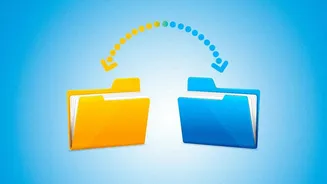
Here's where the confusion usually starts. Internet Service Providers (ISPs) advertise their connection speeds in megabits per second (Mbps). A megabit is simply one million bits. This measures the rate of data transfer—how fast information can travel through the network to your device. However, the software on your computer, like your web browser or a platform like Steam, measures the size of the files being downloaded in megabytes (MB). A megabyte is one million bytes. Because a byte is 8 times larger than a bit, a megabyte is 8 times larger than a megabit. They are used for different purposes: bits for transfer speed, bytes for file size.
The Simple Math to Find Your Real Speed
So, how do you convert the advertised speed into a number that matches what you see on your download screen? The formula is incredibly simple: divide your internet plan's speed in Mbps by 8. The result is your maximum theoretical download speed in megabytes per second (MB/s). For example, if you have a 100 Mbps connection, you divide 100 by 8, which gives you 12.5 MB/s. This isn't a rough estimate; it's a direct conversion between the two units.
Calculating Your Download Times
Armed with this knowledge, you can now set realistic expectations for your downloads. Let's say you want to download a 50 GB (gigabyte) game. First, convert the file size to megabytes. Since there are 1,000 megabytes in a gigabyte, that's 50,000 MB. On a 100 Mbps plan (which is 12.5 MB/s), you can calculate the time: 50,000 MB divided by 12.5 MB/s equals 4,000 seconds. Divide that by 60 to get minutes, and you're looking at about 66 minutes, or just over an hour. For a smaller 700 MB file on a 50 Mbps line (6.25 MB/s), the math is 700 divided by 6.25, which equals 112 seconds, or just under two minutes.
Why Do ISPs Advertise in Megabits?
There are two main reasons for this practice. The first is historical and technical. Data transmission speeds have traditionally been measured in bits per second since the early days of modems. It's the standard unit for measuring data throughput in telecommunications. The second reason is marketing. Simply put, a bigger number looks more impressive. Advertising a '100 Mbps' plan sounds much faster to the average consumer than promoting a '12.5 MB/s' plan, even though they represent the exact same speed.
Factors That Affect Your 'Real' Speed
It's important to remember that the MB/s you calculate is a theoretical maximum. Your actual speed will often be slightly lower due to several factors. Network overhead—the extra data required to manage the transfer—takes up some of your bandwidth. If you're using Wi-Fi, your speed can be affected by distance from the router, physical obstructions, and other devices on the network. The server you're downloading from also plays a huge role; a slow or busy server can't send you data at your maximum speed, no matter how fast your plan is.