


The Core Principle: Match Your Screen to Your Room
Digital eye strain, or Computer Vision Syndrome, often comes from your eyes constantly adjusting to different light levels. If your screen is glowing like a light source in a dark room, your eyes are forced to work overtime. Conversely, if your screen is too
dim in a bright space, you'll squint to read the text. The fundamental rule for eye comfort is to make your screen's brightness match the ambient light around you. A simple test is to hold a piece of white paper next to your screen; the paper and the white background on your screen should have a similar level of brightness. If the screen looks like a lamp, it's too bright. If it looks grey and dull, it's too dim.
Control Your Environment
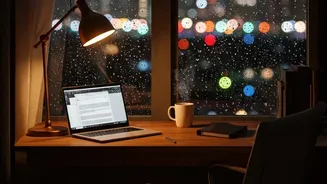
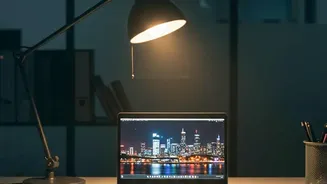
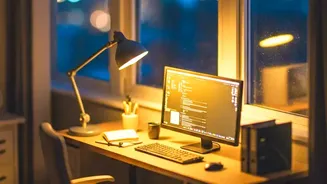
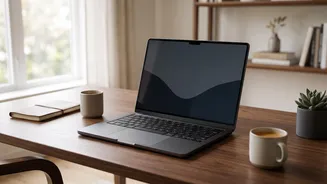
Before you even touch your screen's settings, look at your workstation's lighting. Glare from windows or overhead lights is a major cause of eye strain. The ideal setup is to place your desk so that any windows are to your side, not directly in front of or behind your screen. Use blinds or curtains to soften harsh sunlight. Instead of relying on a single, bright overhead light, which can create reflections, opt for softer, indirect ambient lighting from lamps. A dedicated, adjustable task lamp can illuminate papers on your desk without shining onto your screen, balancing the light levels between your screen and your physical workspace.
Finding the 'Just Right' Brightness
There is no single magic number for screen brightness, as it's entirely relative to your surroundings. However, for a typical office environment, a brightness level between 100 and 150 nits (a unit of brightness, also called cd/m²) is often a comfortable starting point. In a dimmer room, you might find 80-120 nits more comfortable, while a brighter room may require up to 180 nits. Many modern laptops and operating systems have an 'auto-brightness' feature that adjusts automatically, which can be a great starting point. Additionally, features like 'Night Shift' or 'Night Light' warm the colour temperature of your screen in the evening, which can reduce blue light exposure and may feel more comfortable in low light.
Is Dark Mode the Answer?
Dark mode,< which uses light text on a dark background,< can be a great tool for reducing glare in low_light environments.< However,< it is not a universal solution for eye strain.< In a well_lit room,< the high contrast of white text on a black background can sometimes cause a 'halation' effect,< where the text appears to glow,< making it harder to read for some people.< For those with astigmatism,< black text on a light background is often easier to focus on.< The best approach is to experiment;< use dark mode when you are in a dim setting and see if it feels more comfortable,< but don't force it if you find it harder to read.
Beyond Brightness:< Essential Habits for Eye Comfort
Proper brightness is crucial,< but it is only one piece of the puzzle.< To truly combat digital eye strain,< adopt the 20/20/20 rule:< every 20 minutes,< take a 20/second break to look at something at least 20 feet away.< This simple practice allows the focusing muscles in your eyes to relax.< Also,< make a conscious effort to blink more often,< as we tend to blink less when staring at screens,< which leads to dry eyes.< Finally,< ensure your screen is positioned correctly—about an arm’s length away,< with the top of the screen at or slightly below eye level.