





The Golden Rule: Never Share Your PIN
Your UPI PIN is the key to your bank account. It's a 4 or 6-digit number you create when you set up your account, and you must enter it to authorise any payment from your account. No one—not your bank, not a customer service agent, not even NPCI—will
ever ask for it. Scammers often create a sense of urgency, but you must never share your PIN or OTP (One Time Password) with anyone. Remember, you only need your PIN to send money, not to receive it. If someone asks you to enter your PIN to get a payment or a refund, it is a scam.
Beware the 'Request Money' Scam
One of the most common festival season frauds involves the 'Request Money' or 'Collect Request' feature on UPI apps. A scammer will send you a payment request, often with a message saying 'Enter your PIN to receive your festival bonus' or 'Approve to get your refund'. If you approve the request and enter your PIN, you are not receiving money; you are sending it to the scammer. Always read the on-screen message carefully before authorising. If you're not expecting to pay someone, decline any unknown payment requests immediately.
Double-Check Before You Pay
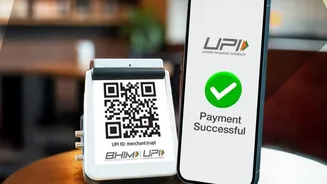
When you scan a QR code or enter a UPI ID, the app will show you the registered name of the recipient before you complete the payment. Always take a moment to verify that this name matches the merchant or person you intend to pay. This simple check is crucial, especially in crowded markets or when paying a new vendor. A quick glance can prevent you from accidentally sending money to the wrong person, a mistake that is very difficult to reverse.
Know Your Daily Transaction Limits
UPI has a standard daily transaction limit of ₹1 lakh for most regular users, though some banks may set their own lower limits. This limit applies across all your UPI apps combined. You are also generally limited to 20 transactions per day. For first-time users, there's often a stricter cap: you might only be able to transact up to ₹5,000 in the first 24 hours after registering. If you're planning a large purchase, like a new phone or home appliance, be mindful of these limits. You might need to use a different payment method or split your shopping over a couple of days.
Use UPI Lite for Small, Quick Payments
Festival shopping often involves many small purchases—street food, diyas, decorations. For these, UPI Lite is your best friend. It's a feature within your main UPI app that acts like a small digital wallet. You can load up to ₹2,000 at a time (with a daily total of ₹4,000) and then make payments up to ₹500 without needing to enter your PIN every single time. This makes transactions much faster, reduces the chance of payment failures at peak times, and keeps your main bank statement clean from dozens of tiny entries.
What to Do If a Payment Fails
It can be alarming: you've paid, the money is debited, but the transaction shows as failed. First, don't panic and do not pay again immediately, as this can lead to a double debit. Most of the time, the money is automatically reversed back into your account within a few hours to one business day. You can check the status in your app's transaction history. If the money doesn't come back within 48 hours, use the app's 'Raise Issue' or 'Dispute' feature for that specific transaction. Keep the 12-digit transaction ID handy.