




Understanding the Tax Challan
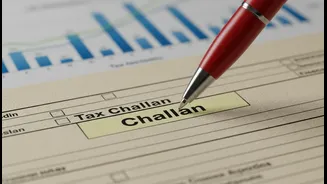
First, let's clarify what a tax challan is. Think of it as a form you use to deposit tax payments to the government. For income tax, the most common one is Challan 280, which is used for paying self-assessment tax, advance tax, or tax on regular assessment.
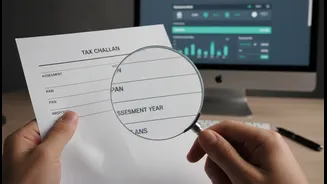
Every time you pay your taxes, this challan acts as the receipt and proof of payment. It contains crucial details like your Permanent Account Number (PAN), the Assessment Year (AY) for which you're paying, the type of tax, and the amount. Getting these details right is essential for the Income Tax Department to correctly credit the payment to your account.
Common but Costly Mistakes
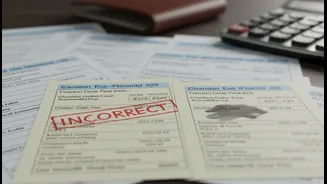
Even the most careful taxpayers can make a slip-up. The most frequent errors include selecting the wrong Assessment Year, choosing an incorrect tax category (e.g., paying 'Advance Tax' instead of 'Self-Assessment Tax'), or mistyping the tax amount. Another critical error is entering the wrong PAN. These mistakes, while seemingly minor, create a mismatch between your filed income tax return (ITR) and the tax department's records. This discrepancy is a primary reason for processing delays, demand notices, and, most importantly, holds on your expected refund, leading to what many call 'refund panic'.
The Online Correction Process
The good news is that the Income Tax Department has created an online facility to fix these errors. Available on the e-filing portal, this service allows taxpayers to correct certain details for challans pertaining to Assessment Year 2020-21 and onwards. You can correct the Assessment Year, the Major Head (tax applicability), and the Minor Head (type of payment, like advance tax or self-assessment tax).
To start, log in to the income tax portal, navigate to 'Services' and select 'Challan Correction'. You can then create a new correction request by identifying the specific challan using its Challan Identification Number (CIN). After making the necessary changes, you must e-verify the request using an Aadhaar OTP, Digital Signature Certificate (DSC), or Electronic Verification Code (EVC).
Act Quickly: Time Limits Apply
While the online process is convenient, it's highly time-sensitive. You have a very short window to make corrections. For an incorrect Assessment Year, the request must be submitted within 7 days of the challan deposit date. For corrections to the Major Head or Minor Head, you have a slightly longer window of 30 days from the payment date. If you miss these deadlines, the online option is no longer available, and you'll have to resort to the offline process. It's also important to note that a challan can only be corrected if it hasn't already been 'consumed' or used in an ITR filing.
When You Need to Go Offline
For errors that cannot be fixed online—such as a wrong PAN, corrections for challans from before AY 2020-21, or if you've missed the online correction window—you must approach your Jurisdictional Assessing Officer (AO). This process involves submitting a formal written application detailing the error and providing a copy of the original challan and other supporting documents. While more time-consuming, it is the designated method for resolving more complex or older errors. For some specific corrections, you may also need to contact the bank where the tax was deposited, but this is typically for issues addressed shortly after payment.