





Understanding the New 'eVisa' for Indians
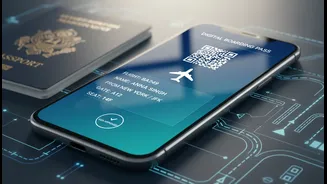
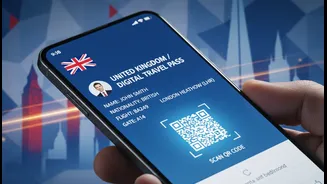
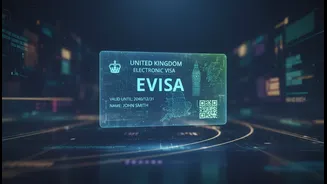
Since February 2026, the UK has phased out physical visa stickers (vignettes) in passports for Indian nationals, replacing them with a digital system. This is what's being referred to as an 'eVisa'. It is crucial to understand that this is not a new,
easier type of visa application. Indian citizens are not eligible for the UK’s Electronic Travel Authorisation (ETA) scheme; that system is designed for nationals from countries who do not need a visa for short stays, such as the US, Canada, and EU member states. For Indian travellers, the process of applying for a standard UK visa—including providing biometric information at an application centre—remains largely the same. The key difference is the final output: instead of a physical document, your permission to travel is held as a digital record.
Your UKVI Account Is Your Proof to Fly
Your eVisa is a digital record of your immigration status, stored within your personal UK Visas and Immigration (UKVI) online account. This account is now the single source of truth for your right to travel to the UK. When you check in for your flight, the airline's systems will query this database to confirm you have a valid digital permission to travel. This means that having an approved visa is not enough; the details in your digital profile must be flawless and perfectly match your travel documents. The system is designed to be more secure and efficient, as a digital visa cannot be lost, stolen, or tampered with. However, it places the responsibility squarely on the traveller to ensure their digital information is accurate and up-to-date.
The Errors That Can Get You Denied Boarding
A simple data mismatch between your passport and your eVisa record can prevent an airline from verifying your status, leading them to deny boarding. The most common and costly mistakes are often the smallest. This includes minor typos in your name, an incorrect date of birth, or a transposed digit in your passport number. Another major pitfall involves passport renewals. Your eVisa is electronically linked to the specific passport you used for your application. If you get a new passport, you must update your UKVI account with the new document's details before you travel. Showing up with a new passport that isn't linked to your eVisa will likely result in a failed verification check at the airport.
Real-World Consequences of a Digital Mismatch
The transition to a digital system has not been without its problems. Travellers have reported instances of being stopped at check-in or facing lengthy delays because of discrepancies in their digital records. In some cases, airline staff, who are still adapting to the new rules, may be unable to verify a passenger's status, leading to confusion and stress. Because airlines are required to check for valid permission before departure, they can and will refuse to let you fly if your eVisa cannot be confirmed digitally. Even if you believe your visa is valid, if the system says no, you may not be able to board your flight. This makes proactively verifying your information more important than ever.
Your Pre-Flight Digital Checklist
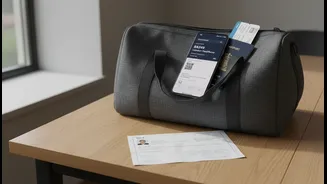
To ensure a smooth journey, treat this digital check as a mandatory part of your travel preparations. A few minutes of verification can save you from a major travel headache. Before you head to the airport, complete these steps: 1. Log in to your UKVI account: Make sure you can access your account using your registered credentials. Don't wait until you're at the check-in counter. 2. Verify your personal details: Carefully compare the name, date of birth, and nationality in your UKVI account with the information on your passport. They must match exactly. 3. Check your passport number: Confirm that the passport number linked to your eVisa is the one you will be travelling with. If you've renewed it, ensure you've updated your account. 4. Have a backup: While the system is digital, it can be helpful to have a printed copy of your eVisa status from your UKVI account or a screenshot on your phone. Some travellers also generate a 'share code' as an additional way to prove their status if needed.