








The Science of Seated Strain
Our bodies are not designed to sit for eight hours a day. When we do, especially in a poorly configured setup, the natural S-curve of our spine is compromised. Slouching or leaning forward flattens the lower back's inward curve, which increases pressure
on the spinal discs. Over time, this sustained static load leads to muscle fatigue, reduced blood flow, and the accumulation of metabolic waste in the muscle tissue, contributing to chronic pain and musculoskeletal disorders. An unsupportive chair forces your muscles to constantly work to hold you upright, while a poorly positioned monitor causes you to crane your neck, leading to stiffness and headaches. These small, daily stresses accumulate, turning minor discomfort into a long-term health issue.
Calibrating Your Chair: The Foundation of Good Posture
Your office chair is the most critical tool for preventing back pain, but only if it's adjusted correctly for your body. The goal is to maintain a neutral spine, where your body is balanced with minimal effort. Start by adjusting the seat height so your feet are flat on the floor and your knees are at a 90-degree angle, or slightly below your hips. There should be a small gap of two to three fingers' width between the front edge of the seat and the back of your knees to ensure good circulation. Next, focus on lumbar support. Adjust the backrest or cushion so it fits snugly into the natural curve of your lower back, roughly at belt level. This support is crucial for preventing you from slouching and flattening your spine. Finally, your armrests should be positioned so your elbows can rest at a 90 to 100-degree angle with your shoulders relaxed, not hunched.
Setting Your Sights: Correct Monitor Placement
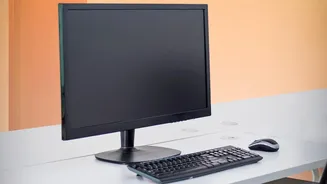
After setting your chair, the next step is aligning your monitor to prevent neck and shoulder strain. The most common mistake is placing the screen too low, forcing your head to tilt downward. This forward head posture dramatically increases the load on your cervical spine. The golden rule is to position the top of your monitor at or just below your eye level. This allows you to view the entire screen with a slight downward gaze of about 15 to 20 degrees, which is a natural and relaxed position for your neck. The monitor should also be about an arm's length away from you. This distance helps reduce eye strain without causing you to lean forward. If you use a laptop, propping it up on a stand or a stack of books and using a separate keyboard and mouse is essential to achieve this ergonomic setup.
Beyond the Setup: The Importance of Movement
Even with the perfect ergonomic setup, remaining in a static position for prolonged periods is detrimental. Your body craves movement to promote circulation, lubricate joints, and prevent muscle stiffness. Experts recommend breaking up long periods of sitting by standing, stretching, or walking around for a few minutes every 30 to 60 minutes. Simple actions like walking over to a colleague instead of sending an email, taking phone calls while standing, or performing gentle neck and shoulder stretches at your desk can make a significant difference. This concept of "dynamic sitting," where you frequently change your position, is just as important as the initial setup for preventing the negative health effects of a sedentary job.