








What Is DigiYatra and Why Use It?
DigiYatra is a digital initiative from India's Ministry of Civil Aviation that uses facial recognition technology to verify your identity at various airport checkpoints. The main goal is to make your journey faster and completely paperless. Instead of showing
your ID card and boarding pass repeatedly at the terminal entry, security check, and boarding gate, you simply look into a camera. A successful scan validates your identity and flight details, opening the e-gate for you to proceed. The primary benefit is skipping long queues, with the system capable of reducing processing time at gates to just a few seconds. It's designed to be a voluntary service for domestic travellers, offering a more convenient and contactless airport experience.
Getting Started: The Enrolment Process
Setting up DigiYatra is a one-time process that takes only a few minutes. First, download the official 'DigiYatra' app from the Google Play Store or Apple App Store. Be sure to download the one published by the DigiYatra Foundation. Once installed, you'll register using your mobile number via an OTP. The next crucial step is to link your credentials. You can do this using your Aadhaar details through DigiLocker or by uploading the offline Aadhaar XML file. The app will then prompt you to take a clear selfie, which it uses to create your biometric ID. Once your DigiYatra ID is created, you're ready for your next flight. Remember that the mobile number you use should ideally be the one linked to your Aadhaar to avoid OTP delays.
Using DigiYatra on Your Travel Day
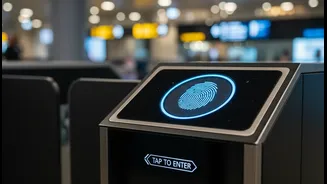
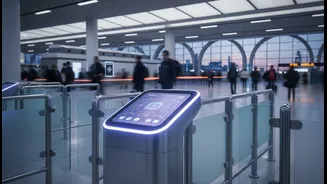
Before you head to the airport, you must complete one final step: link your flight to your DigiYatra profile. After completing your web check-in with the airline, open the DigiYatra app and upload your boarding pass. You can do this by scanning the QR code on the pass, uploading a PDF or image, or manually entering the PNR details. At the airport, look for the dedicated DigiYatra e-gates. First, you'll scan your boarding pass QR code at the gate, then look into the camera for the facial recognition scan. Once your identity and travel details are validated, the gate will open, allowing you entry. The same quick, face-scan process is repeated at the security check area and, at some airports, even at the boarding gate.
Where Is DigiYatra Available?
The DigiYatra network has been expanding rapidly. Initially launched at a handful of airports in 2022, the service is now available at over 38 airports across India as of mid-2026. This includes all major metros like Delhi, Mumbai, Bengaluru, Hyderabad, Chennai, and Kolkata. The service has also been rolled out across numerous Tier-2 and Tier-3 cities, including Pune, Ahmedabad, Lucknow, Varanasi, Goa, Kochi, Jaipur, Guwahati, Surat, and Nagpur, among others. The government plans to continue expanding the service to 27 more airports, with the goal of having greenfield airports like Navi Mumbai and Jewar fully enabled from day one. Recent reports also indicate that trials for international passengers are set to begin soon.
Common Problems and Troubleshooting
While DigiYatra is designed to be smooth, travellers occasionally face issues. The most common problems include the app crashing, the boarding pass failing to upload, or the face scan not working at the e-gate. If the app is not opening, try updating it from the app store or restarting your phone. For boarding pass upload errors, ensure you are using a clear image of the QR code and have a stable internet connection—mobile data is often more reliable than airport Wi-Fi. If the face scan fails, remove any masks or glasses, ensure your face is well-lit, and look directly at the camera. If issues persist after a couple of tries, it's always best to switch to the regular manual queue. Always carry your physical ID and boarding pass as a backup.
A Note on Data Privacy
Privacy is a significant consideration for any biometric system. The DigiYatra Foundation states that its system is built on a 'privacy by design' principle. Your personal information, like your Aadhaar details and facial biometric template, is encrypted and stored in a secure wallet on your own smartphone, not in a centralized database. When you travel, a secure token is shared with the airport, and this data is purged from the airport's systems within 24 hours of your flight's departure. However, privacy advocates have raised concerns about a lack of transparency and public audits. There have also been complaints about passengers being enrolled without their explicit consent, though the Ministry of Civil Aviation maintains the service is entirely voluntary.