





Start with Your Chair: The Foundation of Good Posture
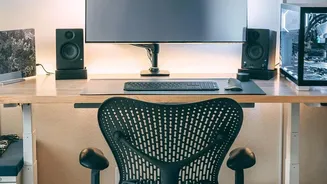
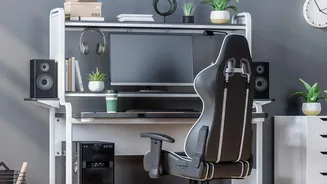
Your office chair is the cornerstone of an ergonomic setup. Before you touch anything else, ensure it’s properly adjusted to support your body. The goal is to maintain the natural 'S' curve of your spine, not to sit rigidly straight. Start by setting
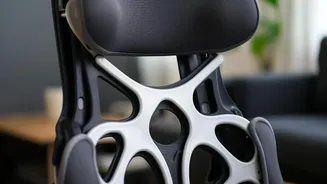
the height so your feet can rest flat on the floor with your thighs roughly parallel to it. Your knees should be at about a 90-degree angle. Next, adjust the seat depth. Sit all the way back and check for a gap of about two to three fingers' width between the edge of the seat and the back of your knees; this prevents cutting off circulation. Finally, position the lumbar support to fit snugly into the curve of your lower back. This crucial adjustment is your primary defense against slumping, which flattens the spine and puts immense strain on your discs.
Position Your Desk, Keyboard, and Mouse
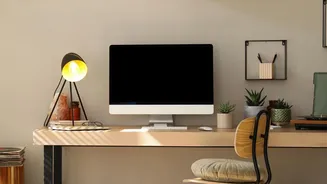
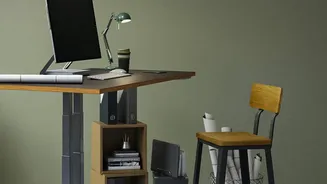
With your chair set, turn your attention to your desk surface. The height of your desk and the placement of your keyboard and mouse should allow your arms to maintain a relaxed and neutral position. Your elbows should be bent at approximately a 90-degree angle, with your upper arms close to your body and shoulders relaxed, not hunched. The keyboard and mouse should be on the same level surface and close enough to your body that you don't need to stretch to reach them. Keeping your wrists straight and in line with your forearms is key to preventing strain. If you work primarily on a laptop, experts recommend using a separate keyboard and mouse. This allows you to position the keyboard at a comfortable elbow height while raising the screen to eye level, providing the biggest ergonomic payoff for a small investment.
Set Your Monitor at the Right Height and Distance
Incorrect monitor placement is a primary cause of "tech neck" and upper back pain. To avoid craning your head forward or looking down, position your monitor so the top edge of the screen is at or slightly below your eye level. Your eyes should naturally gaze slightly downward to view the center of the screen. The ideal viewing distance is about an arm's length away, or roughly 20-30 inches from your face. If you have a larger screen, you may need to position it slightly farther back. It can also help to tilt the screen slightly upward, around 10 to 20 degrees, to match your line of sight and reduce glare. These adjustments work together to keep your head aligned directly over your shoulders, significantly reducing the strain on your neck muscles.
Don't Forget the Finer Details
A few smaller accessories and habits can complete your ergonomic transformation. If your feet don't rest flat on the floor even after adjusting your chair, use a footrest. This ensures your knees stay at the correct angle and provides a stable base for your posture. Keep frequently used items like your phone or documents within easy reach to avoid repetitive twisting and overreaching. If you often refer to papers while typing, a document holder placed next to your monitor can prevent you from constantly looking down. A tidy, organized workspace isn't just for aesthetics; it prevents awkward movements that can lead to strain. By clearing space under your desk, you give your legs and feet room to move freely, which is essential for long-term comfort.
The Best Position Is Your Next Position
Even the most perfectly arranged desk cannot protect you from the negative effects of staying still for hours on end. Prolonged static posture, even a good one, leads to muscle fatigue, reduced blood flow, and increased pressure on the spine. Ergonomics experts emphasize that movement is a critical, non-negotiable part of the equation. Aim to take short movement breaks every 30 to 60 minutes. You don't need to do a full workout; simply standing up, stretching your arms overhead, rolling your shoulders, or taking a short walk can make a significant difference. These micro-breaks interrupt the static load on your body, restore circulation, and allow your muscles to reset, helping you maintain comfort and focus throughout the day.