






Protect Your Phone from the Elements
Water and electronics are a bad mix, and the monsoon’s humidity can be just as damaging as a direct downpour. The most fundamental step is to keep your primary payment device—your smartphone—safe and dry. If you're stepping out, even for a short while,
carry your phone in a waterproof pouch or a simple zip-lock bag. [2] These are inexpensive and can save you from costly repairs. [2] If your device does get wet, turn it off immediately to prevent short-circuiting. [2] Do not plug it in to charge. [2] Gently wipe it dry and consider placing it in a container with silica gel packets, which are more effective at absorbing moisture than the popular but less reliable rice method. [2, 3, 6]
Prepare for Power Cuts and Network Drops
Heavy rains often lead to power cuts and unstable mobile networks, which can disrupt digital transactions. [4] Recent outages have shown how dependent we are on systems like UPI, with disruptions causing widespread inconvenience. [10, 17, 22] A simple but effective habit is to keep your smartphone and a power bank fully charged. [20] This ensures you're not left stranded if the power goes out. When networks are patchy, transactions can fail, sometimes leading to money being debited but not credited. Before making a payment, check for stable connectivity. If possible, have a small amount of cash on hand for emergencies when digital systems are down. [16]
Beware of Monsoon-Themed Scams
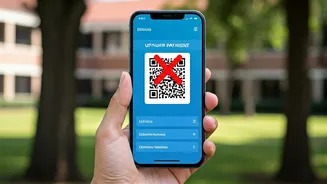
Scammers are quick to exploit any situation, and the monsoon is no exception. Be wary of unsolicited messages offering unbelievable discounts on "monsoon essentials," fake travel deals, or urgent requests for donations to dubious relief funds. [26, 24] Fraudsters use a sense of urgency to trick you into clicking malicious links or sharing sensitive information. [21, 26] A common tactic is the QR code scam, where you are sent a code and told to scan it to receive money, but it actually authorizes a debit from your account. [9] Remember, no legitimate company, bank, or government agency will ever ask for your UPI PIN or OTP. [15, 19] If a deal seems too good to be true or a message creates panic, take a moment to verify before you act. [21]
Strengthen Your Digital Hygiene
Good digital habits are your best defence. The monsoon, when you might be stuck indoors and using public Wi-Fi more often, is a good time for a security review. Avoid making financial transactions on public or unsecured Wi-Fi networks, which are vulnerable to hackers. [19] Use your mobile data instead for payments. [19] This is also a good opportunity to strengthen your passwords and enable two-factor authentication (2FA) on all your financial apps. [19, 25] 2FA adds a crucial layer of security, often requiring a fingerprint or a code sent to your phone, making it much harder for anyone else to access your accounts. [8, 11] Regularly review your transaction history for any unauthorized activity and enable real-time alerts for all payments. [11, 15]
Back Up Your Financial Lifeline
What happens if, despite all precautions, your phone is lost or permanently damaged by water? Losing the device is bad enough, but losing access to your digital payment apps can create a major financial headache. Ensure that your important financial apps are not solely tied to one device without a recovery plan. Know the process for accessing your accounts from a different device or blocking them in case of theft. Regularly back up your phone's data. This won't save your payment apps directly, but it ensures you don't lose other critical information, making the recovery process smoother.