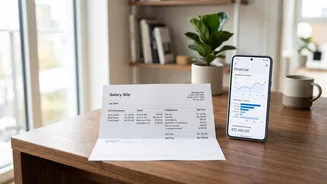







Your Employee Provident Fund (EPF) is a crucial part of your long-term savings. But a deduction on your payslip doesn't always mean the money has reached your account. Proactive checks can help you spot delays and protect your retirement nest egg.
Why You Must Check Your PF Passbook
Your
EPF is not just a tax-saving tool; it is a significant financial asset that grows with compound interest. However, its growth depends on timely contributions from both you and your employer. While your share is deducted from your salary, it's the employer's responsibility to deposit both portions with the Employees' Provident Fund Organisation (EPFO). Employers are required to deposit these contributions by the 15th of the following month. A delay means you lose out on potential interest for that period. Sometimes, due to administrative errors or cash flow issues, employers might delay or miss these payments altogether. Relying only on your salary slip is not enough; regularly viewing your EPF passbook is the only way to confirm that your savings are being correctly managed. This simple habit can alert you to discrepancies early, making them easier to resolve.
How to Check Your Account: The EPFO Portal
The most direct way to check your contributions is through the EPFO Member Passbook portal. To do this, your Universal Account Number (UAN) must be activated. If you haven't done so, you can activate it on the EPFO member portal. Once activated, follow these steps: 1. Visit the EPFO Member Passbook portal. 2. Log in using your UAN, password, and the provided captcha. 3. After logging in, you will see the Member IDs associated with your different employments. Select the ID for your current employer. 4. Your passbook will be displayed, showing a month-by-month breakdown of contributions from both you and your employer, as well as any portion allocated to the Employees' Pension Scheme (EPS). You can download a PDF of the passbook for your records. Check this at least once every few months to ensure entries match the deductions on your payslips.
An Easier Way: The UMANG App
For those who prefer using their smartphones, the UMANG (Unified Mobile Application for New-age Governance) app offers a convenient way to access EPFO services. The app integrates various government services, including a direct link to your EPF account. To use it: 1. Download the UMANG app from the Google Play Store or Apple App Store and complete the registration. 2. In the app, search for and select 'EPFO'. 3. Choose the 'View Passbook' service. 4. Enter your UAN and the One-Time Password (OTP) sent to your registered mobile number. 5. Select the relevant Member ID to view your passbook and balance. The UMANG app allows you to check your balance, download your passbook, and even track the status of claims on the go, making it a powerful tool for financial monitoring.
Identifying a Problem: What to Look For
When you view your passbook, you're looking for consistency. Compare the 'Employee Share' and 'Employer Share' columns with the PF deductions listed on your monthly payslips. A red flag is when your payslip shows a deduction for a particular month, but that month's entry is missing from your EPF passbook even after the 15th of the next month has passed. For example, a PF deduction from your October salary should be credited to your EPFO account by November 15th. If it's late November and you still don't see the credit for October, it's time to investigate. Don't panic immediately, as there can sometimes be processing delays. However, a pattern of missing or consistently late contributions is a serious issue that needs to be addressed.
Found a Discrepancy? Here Are Your Next Steps
If you notice missing contributions, your first step should be to contact your company's HR or payroll department. Politely inquire about the status of the deposit for the specific month and ask for the Electronic Challan-cum-Return (ECR) filing details as proof of payment. If the employer is unresponsive or fails to resolve the issue, you should escalate the matter by filing a formal complaint. The official channel for this is the EPF i-Grievance Management System (EPFiGMS). You can access this portal online, register a grievance using your UAN, and clearly state the months for which contributions are missing. Be specific and upload supporting documents like payslips and a screenshot of your passbook. The system will generate a unique registration number that allows you to track the status of your complaint.