





1. Start With Your Chair Height and Support
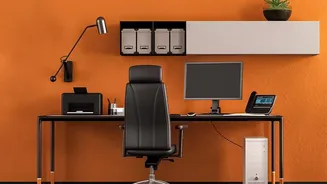
Your chair is the foundation of an ergonomic workstation, and getting it right starts from the ground up. Adjust your seat height so that your feet are resting flat on the floor, with your thighs parallel to the ground and your knees at a 90-degree angle.
If your feet dangle, use a footrest to provide stability. Next, address your lower back. Your chair should support the natural inward curve of your lumbar spine. If your chair has adjustable lumbar support, position it to fit snugly into the small of your back. If not, a rolled-up towel or a small cushion can work wonders to prevent you from slumping and reduce strain on your spinal discs.
2. Position Your Monitor at Eye Level
Hunching forward to see your screen is a primary cause of neck and shoulder pain, often called 'tech neck'. The solution is simple: position your monitor so that the top of the screen is at or slightly below your eye level. This allows you to keep your head in a neutral position, directly over your shoulders. You shouldn't have to tilt your chin up or crane your neck down to see your work. If you're working on a laptop, this is nearly impossible without help. Use a laptop stand or even a stack of sturdy books to elevate the screen to the proper height.
3. Set the Right Monitor Distance
Monitor height is only half the battle; distance is just as crucial for preventing both neck strain and eye fatigue. A good rule of thumb is to place your monitor about an arm's length away. Sit back comfortably in your chair and extend your arm—your fingertips should nearly touch the screen. If you find yourself squinting or leaning forward to read text at this distance, it's better to increase the font size on your computer rather than pulling the monitor closer. This distance keeps your torso supported by your chair's backrest and prevents you from unconsciously leaning forward into a posture that strains your back.
4. Align Your Keyboard and Mouse
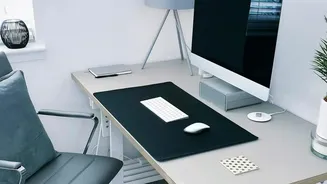
Your arms and wrists also need a neutral, relaxed posture. Position your keyboard and mouse close to your body and at a height that allows your elbows to be bent at roughly a 90 to 110-degree angle. Your forearms should be parallel to the floor, and your wrists should be straight, not bent upwards or downwards. Many desks are too high, forcing you to shrug your shoulders. If your desk isn't adjustable, raise your chair to achieve the correct arm position and use a footrest to support your feet. Also, ensure your armrests are set to a height where your shoulders can relax; if they get in the way, it's often better to remove them entirely.
5. Don't Forget to Move
Even the most perfect ergonomic setup can't counteract the negative effects of staying static for too long. Your body is designed to move. Ergonomics experts recommend taking frequent 'microbreaks' to stand, stretch, and walk around. One popular guideline is the 20-20-20 rule: every 20 minutes, look at something 20 feet away for 20 seconds to reduce eye strain. Better yet, get up from your chair for a few minutes every half-hour to an hour. These small movements boost circulation, relieve spinal compression, and reset your posture, preventing stiffness and discomfort from building up over the day.