

1. Start with Strategy, Not Software
Before you type a single word into an AI prompt, clarify your core concept. The most powerful AI can't read your mind or fix a weak strategy. Start by defining the basics of your pitch: What is the product or service? Who is the target audience? What is the key
message or emotion you want to convey? What is the unique selling proposition? Write down a one-sentence summary of the campaign idea. For example: "A premium coffee brand targeting young professionals with the message of a calm, focused morning ritual." This strategic foundation will be the North Star for all your visual explorations.
2. Choose Your Visual Engine
Not all AI image generators are created equal. The right choice depends on your needs. DALL-E 3 (integrated into ChatGPT Plus) is fantastic for beginners; its strength is understanding natural language, so you can describe what you want conversationally. Midjourney is the industry favourite for artistic and highly stylised images. It requires more specific 'prompt craft' but delivers exceptionally cinematic and detailed results, making it ideal for high-concept pitches. Stable Diffusion offers the most customisation but has a steeper learning curve. For most pitch concepts, starting with DALL-E 3 or Midjourney is the best bet.
3. Craft Your 'Magic Spell' Prompt
A good prompt is a recipe for a good image. Don't just say "a woman drinking coffee." Build a scene. A powerful prompt structure includes several key ingredients: * **Subject & Action:** "A young professional woman, in her late 20s, peacefully sipping a latte." * **Setting & Environment:** "...in a minimalist Scandinavian-style apartment, with soft morning light streaming through a large window." * **Style & Mood:** "...cinematic photo, warm and serene mood, shot on a 50mm lens, shallow depth of field." * **Colour Palette:** "...dominant colours of cream, warm wood, and soft grey." Putting it all together gives you a detailed prompt that guides the AI toward your specific vision, rather than a generic stock photo lookalike.
4. Iterate, Don't Settle
Your first generation of images will rarely be perfect. This is where the real work begins. AI image generation is a process of iteration. Use the initial four or nine images as a starting point. Identify what works. Did the AI nail the lighting but miss the subject's expression? Is the composition great but the style wrong? Use the platform's tools to refine your output. 'Vary' a specific image to get similar compositions. 'Re-roll' the same prompt to see different interpretations. Tweak your prompt words—change 'peacefully' to 'thoughtfully' or 'cinematic photo' to 'intimate portrait'—and observe how the results shift. This iterative loop is how you discover unexpected and brilliant visual directions.
5. Build a Visual Mood Board
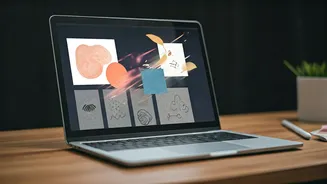
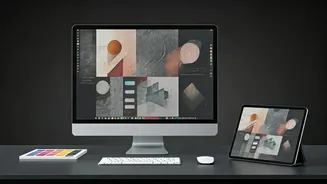
As you generate dozens of images, you'll start to see a theme emerge. Save the best ones—those that capture the precise mood, aesthetic, and narrative of your pitch. Don't just save one perfect shot; collect a range. You need a hero image, supporting lifestyle shots, and maybe even abstract textures or colour palettes generated by the AI. Assemble these selections on a single slide or in a dedicated folder. This curated collection is no longer just a set of random pictures; it's a coherent visual mood board that communicates your entire concept at a glance. It tells a story without a single word of body copy.
6. Integrate Into Your Pitch Deck
The final step is to bring these visuals into your presentation. Use a 'concept board' slide to showcase your mood board. Then, use individual hero images as stunning, full-bleed backgrounds for slides that outline the strategy, target audience, or campaign slogan. The key is to use the images to make your ideas tangible. Instead of telling your client to "imagine a serene, premium campaign," you can show them exactly what that looks like. This instantly elevates your pitch from theoretical to visceral, making it far more persuasive and memorable. Remember to add a small disclaimer that the images are 'AI-generated concept art' to maintain transparency.