




The Golden Rule: Your PIN Is for Paying Only
The single most important rule of UPI safety is this: you only need to enter your UPI PIN to send money, not to receive it. Scammers often exploit this misunderstanding. They will send you a payment request and disguise it as a refund, cashback offer,
or prize. The message might say "Cashback Approved," but the button below it will say "Pay." If you enter your PIN, you are authorizing a debit from your account. Remember, receiving money requires no action on your part other than sharing your UPI ID or QR code. Anyone asking you to enter a PIN to receive funds is attempting a fraud.
Understanding 'Collect Request' Scams
One of the most common fraud methods involves the 'Collect Request' or 'Request Money' feature available in UPI apps. Fraudsters send these requests hoping you will approve them without careful reading. They often create a sense of urgency, claiming a refund is expiring or a bill is overdue, to rush you into making a mistake. The attached note is just text written by the scammer and can say anything to trick you. Always read the on-screen prompt carefully. If it asks you to 'Pay' or 'Approve' a request you did not initiate, decline it immediately.
Scrutinize Every Link and QR Code
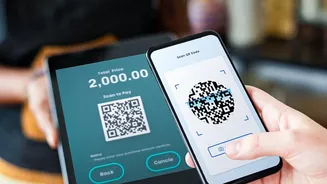
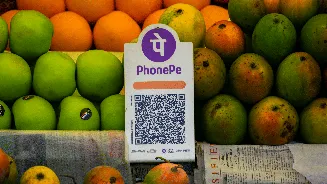
Fraudsters use phishing links sent via SMS, email, or social media that lead to fake websites designed to steal your credentials. These links may look similar to official bank or UPI app URLs, but they are malicious. Similarly, scammers may send you a QR code, claiming that scanning it will credit money to your account. In reality, scanning a QR code and entering your PIN will always debit money from your account. Only scan QR codes from trusted merchants at the point of sale and always verify the recipient's name on the payment screen before proceeding.
Beware of Impersonation and Fake Support
Scammers often pose as bank employees, customer service representatives, or even police officials to gain your trust. They might call you about a supposed technical issue or a required account update. A prevalent tactic involves asking you to download a screen-sharing or remote access app (like AnyDesk or TeamViewer) under the pretext of helping you. Once installed, these apps give the fraudster complete control of your phone, allowing them to access your banking apps and authorize transactions. No legitimate bank or UPI provider will ever ask for your PIN, OTP, or ask you to install third-party apps.
Daily Habits for a Secure UPI Experience
Incorporate these simple habits into your routine for better protection. First, only download official UPI apps from the Google Play Store or Apple App Store, as fake apps are designed to steal data. Second, enable transaction notifications via SMS and email to monitor all account activity instantly. Regularly review your transaction history for any unauthorized debits. Avoid using public or unsecured Wi-Fi for financial transactions. Finally, consider setting a daily transaction limit through your UPI app's settings to minimize potential losses.
What to Do If You've Been Scammed
If you suspect you have fallen victim to a UPI fraud, time is critical. Immediately report the fraudulent transaction to your bank to try and block the transfer. You should also report the incident on the National Cyber Crime Reporting Portal by calling the helpline number 1930 or by visiting cybercrime.gov.in. You can then file a formal complaint within your UPI app and with the National Payments Corporation of India (NPCI) through its official website. Keep all transaction details, messages, and screenshots as evidence.