

The Golden Rule: Eye Level is Key
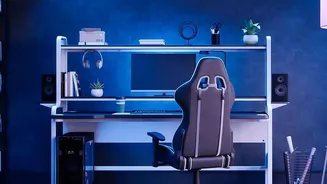
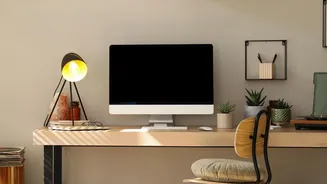
The most fundamental principle of monitor ergonomics is height. When you are sitting up straight, the top edge of your monitor screen should be at or just slightly below your eye level. This positioning allows you to maintain a neutral neck posture, where
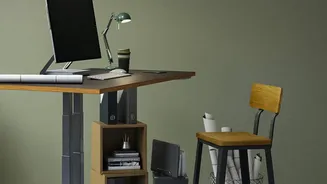
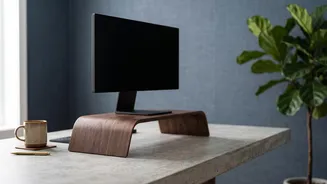
your head is balanced directly over your shoulders. A common mistake is placing the monitor too low, which forces you to crane your neck downwards. This forward head posture puts significant strain on your cervical spine and the surrounding muscles, leading to headaches and chronic pain. If you find yourself constantly looking down, it's a clear sign your monitor needs a lift. A stack of sturdy books can work in a pinch, but a dedicated monitor stand or adjustable arm offers more stability and flexibility.
Get the Distance Right
Height is only half the battle; distance is just as crucial for preventing both neck strain and eye fatigue. A good rule of thumb is to position your monitor about an arm's length away. Sit in your chair and extend your arm straight out—your fingertips should just about touch the screen. This distance, typically between 20 and 30 inches, allows you to see the entire screen without needing to move your head from side to side or lean forward. If your screen is particularly large (upwards of 27 inches), you may need to position it slightly further back. If your desk is too shallow to achieve this distance, a monitor arm that clamps to the back of the desk can be an effective solution to create more space.
Fine-Tune With a Slight Tilt
Once your monitor is at the correct height and distance, a final small adjustment can make a big difference. The screen should be tilted back slightly, about 10 to 20 degrees. This angle helps align the screen perpendicularly with your natural line of sight, which is slightly downwards towards the center of the display. This small tilt also serves a practical purpose: it helps reduce glare from overhead lighting or windows, which can cause you to contort your body into awkward positions to see clearly. Position your desk so that windows are to the side of your monitor, rather than directly in front or behind it, to further minimize reflections and eye strain.
What About Laptops?
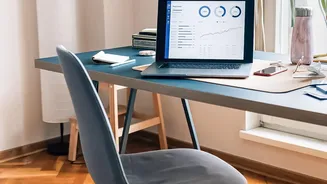
Working directly on a laptop is an ergonomic trap. The fixed screen and keyboard force you into a hunched position, looking down for hours. To solve this, you must separate the screen from the keyboard. The best solution is to use an external monitor and position it according to the rules above. If that isn't possible, place your laptop on a stand or a stack of books to raise the screen to eye level. Then, use an external keyboard and mouse. This setup allows you to maintain good posture with your neck straight and your arms relaxed, with elbows at a 90-degree angle.
Tips for Dual Monitor Setups
A dual monitor setup requires a bit more thought. The ideal arrangement depends on how you use your screens. If you use one monitor significantly more than the other (an 80/20 split), place your primary monitor directly in front of you and the secondary monitor to the side, angled inwards at about 30 degrees. Your body should be centered on the main screen. If you use both monitors equally (a 50/50 split), position them side-by-side with the inner edges touching, and center your body at the seam where they meet. Angle both screens inwards to form a gentle 'V' shape. For both setups, ensure the tops of both monitors are at the same height and at the same distance from your eyes.