




What Are Local AI Assistants?
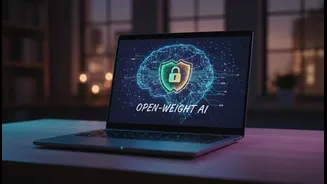
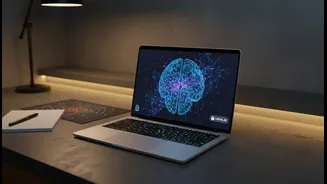
Imagine an AI smart enough to help you brainstorm, edit, and review your assignments, but one that lives entirely on your laptop or computer. That’s the concept behind local AI research assistants. Unlike popular cloud-based services like ChatGPT or Gemini,
these models run directly on your hardware. This means that after an initial setup, they don't need an internet connection to function. All the processing, from checking your grammar to suggesting structural changes in an essay, happens on your machine. This approach puts you in complete control of your data, making it a fundamentally more private way to leverage artificial intelligence for your academic work.
The Cloud vs. Local Showdown
The key difference between cloud AI and local AI comes down to where your information is processed. When you type a query or paste a draft into a cloud-based AI tool, your data travels to a company's servers for analysis. This information can be stored and sometimes used to train future versions of the AI model. This raises concerns about who can access your unpublished work and sensitive research notes. Local AI, by contrast, keeps everything offline and on your device. Think of it like cooking a meal at home versus ordering takeout. When you cook at home (local AI), you control all the ingredients and the process. When you order out (cloud AI), you trust the restaurant to handle everything, but you lose direct oversight.
Why Privacy Is a Big Deal for Students
For students, confidentiality is crucial. Uploading a draft of a term paper to an online service could have unintended consequences. Your unique ideas and arguments become part of a dataset you don't control, and there's always a risk of data breaches. Furthermore, universities are becoming more sophisticated at detecting AI-generated content. If a cloud AI reuses phrases or ideas from its vast training data—which may include your own previously submitted work—it could inadvertently flag an originality checker, creating potential academic integrity issues. Using a local model significantly reduces this risk, as your drafts and prompts remain isolated on your personal computer, never entering a shared data pool.
The Perks of Keeping It Local
The primary benefit of local AI is complete privacy and data security. Your research, half-formed thoughts, and draft papers never leave your hard drive. This is especially important for students working on sensitive topics or proprietary research. Another major advantage is the ability to work offline. For students with unreliable or limited internet access, a local AI assistant remains a dependable tool on a train, in a library, or anywhere else. Finally, using local models can foster a more responsible use of AI. It becomes a personal tool for improvement—like a sophisticated grammar checker or brainstorming partner—rather than an outsourced content generator, aligning better with the goals of learning and academic development.
Are There Any Downsides?
While local AI offers great advantages, there are trade-offs. The most powerful AI models, like the largest versions from OpenAI or Google, require immense computational power and are currently only accessible via the cloud. Local models that can run on a typical laptop, such as smaller versions of Llama, Mistral, or Phi, are highly capable but may not match the sheer breadth of knowledge of their massive cloud counterparts. Performance also depends on your computer’s hardware, particularly its RAM. However, the technology is advancing rapidly, and today’s local models are more than powerful enough for tasks like drafting, editing, and summarising, which are central to a student's workflow.
How to Get Started
Getting started with local AI is easier than ever. Applications like LM Studio, Ollama, and Jan provide user-friendly interfaces that allow you to download, manage, and interact with various open-source language models. These tools let you choose a model that fits your computer’s capabilities and your specific needs, whether it's creative writing or technical report editing. Students can select a model, download it once, and then have a private AI assistant ready to go anytime, without needing to be connected to the internet.