






The Frictionless Spending Trap
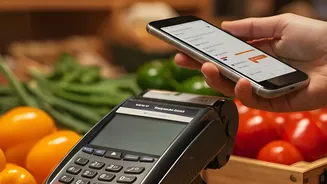
UPI has revolutionised payments in India, making transactions instantaneous and effortless. But this very frictionlessness is a double-edged sword. When spending money doesn't feel like a physical act of handing over cash, it's easy to lose track. A ₹30
coffee here, a ₹150 auto ride there—these micro-expenses don't register individually, but they add up. Financial planners refer to this as a 'death by a thousand cuts' for your budget. Most people are surprised to find how frequently they spend on certain categories once they review their history. The first step to gaining control is acknowledging that the convenience of UPI requires a new level of financial awareness.
Start with Your Built-in Tools
Before you download a new app, it’s worth noting that your existing UPI apps like Google Pay, PhonePe, and Paytm are already basic expense trackers. All of them maintain a detailed transaction history. Take five minutes to open your primary UPI app and simply scroll through the last 30 days. Don't focus on the amounts at first; look at the recurring merchant names. This simple act will immediately highlight your most frequent spending categories without any complex analysis. Most apps allow you to search for a specific merchant, giving you an instant tally of how much you've spent at that one place over the month. It’s a quick reality check that is often more revealing than you might expect.
Leverage In-App Analytics and Features
Major UPI apps have started to mature beyond simple payments and now include features designed to provide financial insights. Some apps automatically categorise your spending into buckets like 'Food', 'Travel', 'Shopping', and 'Bills'. This gives you a snapshot of where your money is going. The BHIM app, for instance, has introduced 'Spend Analytics' to offer users a clearer picture of their monthly expenses and even allows setting self-defined spending limits as a nudge toward financial discipline. PhonePe and Google Pay also offer spending summaries and have integrated bill-splitting features, which help in managing shared expenses with friends and family without confusion.
Supercharge Your Tracking with Third-Party Apps
While native UPI apps provide basic features, dedicated expense-tracking apps offer more power and automation. Apps like FinArt, Axio, and Moneyview Money Manager are popular in India because they are built to solve a specific problem: consolidating your financial life. Many of these apps work by reading the transactional SMS alerts sent by your bank. Every time you make a UPI payment, your bank sends an SMS; the app automatically reads this message, logs the expense, and categorises it without you needing to do anything manually. This creates a unified view of your spending across all UPI apps, credit cards, and bank accounts in one place, which is something no single UPI app can do on its own.
From Raw Data to a Real Budget
Tracking is only half the battle; the goal is to use this data to build a realistic budget. Start a simple weekly routine. Spend just 15 minutes every Sunday reviewing the week's expenses that you've tracked. First, ensure everything is categorised correctly. Then, ask yourself a simple question: does this pattern of spending align with my financial goals? You might discover that you’re spending a lot more on food delivery than you thought, or that small, impulsive online purchases are adding up significantly. Based on this data, you can set realistic spending targets for specific micro-expense categories for the week ahead. This transforms vague financial anxiety into an actionable plan.
Common Pitfalls and How to Succeed
The most common reason people fail at tracking expenses is that they try to be too perfect from the start and get overwhelmed. Don't aim for a flawless annual budget on day one. The key is consistency, not complexity. Start by tracking diligently for just one week. Another pitfall is tracking without taking action. The data is only useful if it informs your decisions. If you notice you've hit your 'eating out' budget mid-month, that's your cue to adjust your behaviour for the remaining weeks. Finally, choose the system that works for you. If you are concerned about privacy and don't want an app to read your SMSes, manual entry in an app like Monefy or even a simple spreadsheet is a perfectly valid alternative. The best system is always the one you'll actually use consistently.