







Overcoming the Blank Page Paralysis
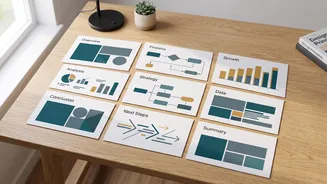
Every presentation begins with the same challenge: a blank screen. The pressure to create a compelling structure from scratch can be intimidating, leading to procrastination. AI presentation makers completely eliminate this hurdle. By simply entering
a topic or a prompt—like "a 10-slide presentation on the causes of the Green Revolution in India"—the AI generates a complete outline. It creates a title slide, suggests a logical flow for your arguments, and populates each slide with initial text. This instant first draft provides a solid foundation, transforming the task from creation to refinement. Instead of staring at an empty canvas, you start with a structured deck that you can immediately begin to edit and personalise.
Professional Design Without the Effort
Let's be honest: not everyone has an eye for design. Achieving a clean, professional look with consistent branding, colours, and fonts takes time and skill. This is where AI tools truly shine. They use advanced design algorithms to apply proven principles of visual hierarchy, spacing, and typography automatically. Many tools allow you to select a theme, and the AI ensures every slide adheres to that style, creating a cohesive and visually appealing deck. You no longer have to manually align text boxes or second-guess colour combinations. The result is a presentation that looks like it was crafted by a professional designer, elevating the credibility of your content without you needing any design experience.
Content Generation and Refinement
Beyond just structure and design, AI can act as a powerful writing assistant. Once you have an outline, these tools can help expand on bullet points, rephrase sentences for clarity, or even generate speaker notes to guide your delivery. If you have a long research paper or article, you can often upload the document, and the AI will automatically extract the key points and summarise them into a structured presentation. This capability is incredibly efficient, allowing you to repurpose existing work for a new format in minutes. It's a powerful way to ensure your core message is communicated clearly and concisely, letting you focus on the quality of the information itself.
Finding the Perfect Visuals, Instantly
A great presentation balances text with impactful visuals. But searching for relevant, high-quality, and properly licensed images, icons, and charts is a notorious time sink. AI generators simplify this process dramatically. Based on the text on each slide, the AI can suggest and insert relevant images or allow you to generate original visuals with a simple prompt. Need a chart to display data? Some tools can transform your raw numbers into clean, easy-to-understand graphs and infographics. This integration of content and visuals not only saves hours but also enhances audience engagement and comprehension.
Which AI Tool Is Right for You?
The market for AI presentation makers is booming, with options to suit every need. Some tools, like Gamma, are praised for their ability to create beautiful, web-native presentations from a single prompt. Others, such as Plus AI, integrate directly into familiar platforms like Google Slides and PowerPoint, adding AI capabilities to your existing workflow. Tools like Canva have incorporated powerful AI features into their already popular design platform, offering a great all-in-one solution. Many platforms offer free credits or trials, allowing you to experiment and find the one that best fits your style and needs without an initial investment.