



From Science Fiction to Your Software
So, what exactly is an AI image editing plugin? Think of it as a super-smart assistant that lives inside your existing photo software, like Adobe Photoshop, or as a standalone web tool. Instead of you manually adjusting sliders for brightness or painstakingly
cloning out a scratch, these plugins use artificial intelligence to understand the content of your photo. They are powered by complex machine learning models that have been 'trained' on millions of images. This training allows the AI to recognize patterns, textures, and objects, enabling it to perform complex edits automatically that once took hours of manual work. For creators, this means tasks like background removal, object cleanup, and colour correction are now faster than ever.
The Magic of Digital Restoration
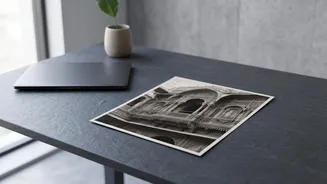
The most emotionally resonant use for these plugins is restoring old, damaged photographs. AI models are trained to identify common types of damage, like scratches, tears, dust, and fading. When you upload a damaged photo, the AI analyzes it, detects these imperfections, and then intelligently fills in the missing or corrupted information. It’s a bit like a masterful artist who knows what a human face or a fabric texture should look like and can repaint the missing pieces. The AI cross-references the damaged area with the surrounding pixels and its vast library of training data to generate a repair that looks natural. Some tools are even specifically designed to add realistic colour to old black-and-white photos, analyzing the shades of grey to predict the original colours with surprising accuracy.
Upscaling: Creating Detail from Nothing
Another game-changing feature is AI upscaling, or increasing an image's resolution. Previously, enlarging a small, low-resolution photo would result in a blurry, pixelated mess. Traditional methods simply stretched the existing pixels, making them bigger and softer. AI upscalers work differently. They don't just stretch the pixels; they generate new ones. The AI analyzes the low-resolution image and, based on its training, predicts what the missing details should be to create a sharp, high-resolution version. It intelligently adds texture, sharpens edges, and refines details, effectively inventing information that wasn't there in a plausible way. This is invaluable for creators who need to prepare old, low-quality images for high-resolution screens or for printing.
Leading Tools for Today's Creators
The market is now filled with powerful and accessible AI editing tools. Some are integrated directly into major software suites, like Adobe Photoshop's Neural Filters, which offer a high degree of control. Others, like Topaz Photo AI, are renowned for their incredible ability to sharpen details and reduce noise. Standalone web-based platforms such as LetsEnhance and VanceAI offer incredible convenience, allowing you to upload a photo and receive a restored or upscaled version in seconds without installing any software. Even design platforms like Canva now include one-click AI restoration tools, making it easy for marketers and social media managers to quickly improve images within their existing workflow.
Is It Truly 'Effortless'?
While the headline says "effortlessly," it's important to have realistic expectations. AI is a powerful assistant, not a miracle worker. The results are heavily dependent on the quality of the original image; an extremely blurry or severely damaged photo can only be improved so much. Sometimes, the AI can get things wrong, creating unnatural-looking textures or misinterpreting parts of an image. For this reason, many professionals use AI as a starting point. They'll run a photo through an AI plugin to handle the bulk of the repair work—saving them hours—and then manually refine the details to achieve a perfect result. The 'effort' has been drastically reduced, but the creator's artistic eye remains essential for the final touch.