
Start with a Rock-Solid Tripod
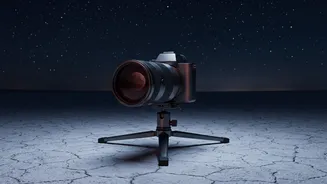
When shooting at high magnifications, even the smallest movement is exaggerated. Handholding is not an option. A sturdy, reliable tripod is the single most important piece of equipment for sharp moon photos. 'Sturdy' means a tripod that is appropriate
for the weight of your camera and lens. A flimsy, lightweight travel tripod might struggle with a heavy telephoto setup. To increase stability, avoid extending the tripod’s central column, which is often its least stable point. If your tripod has a hook, hang your camera bag from it to add extra weight and dampen vibrations, especially in windy conditions. The surface you place it on matters, too; ensure it's on solid, level ground.
Go Hands-Free with a Remote Shutter
The simple act of pressing the shutter button on your camera is enough to introduce significant shake, ruining your shot. There are two excellent, hands-free ways to avoid this. The first is a remote shutter release, which can be a cabled or wireless device that lets you fire the shutter without touching the camera body. The second option is built into every modern camera: the self-timer. By setting a two- or ten-second timer, you give the camera enough time to stop vibrating from your touch before the picture is taken.
Use Your Camera’s Anti-Vibration Features
For DSLR users, the movement of the internal mirror flipping up can cause a tiny, yet significant, vibration called 'mirror slap'. To combat this, use the 'Mirror Lock-Up' function. When enabled, the first press of the shutter button flips the mirror up, and the second press (ideally after a few seconds) opens the shutter to take the photo. This separates the mirror's vibration from the actual exposure. Mirrorless cameras don't have this issue, but they can suffer from 'shutter shock'. Using the Electronic First Curtain Shutter (EFCS) mode can eliminate this, as it starts the exposure electronically without any mechanical movement.
Dial in the Right Shutter Speed
While you're on a tripod, you might think shutter speed is less critical, but the moon moves surprisingly fast across the sky. If your shutter speed is too slow, you'll get motion blur not from camera shake, but from the moon's own movement. A common guideline is to use a shutter speed of at least 1/125s or faster. Some photographers recommend matching your shutter speed to your focal length (e.g., 1/500s for a 500mm lens) as a starting point to freeze motion effectively. The moon is very bright, so you can typically use a fast shutter speed without needing to raise your ISO too high.
Turn Off Image Stabilization
This may sound counter-intuitive, but when your camera is securely mounted on a tripod, you should almost always turn off your lens or in-body image stabilization (often labeled IS, VR, OIS, etc.). These systems are designed to counteract the motion of handheld shooting. When they don't detect any movement on a stable tripod, the stabilization mechanism can sometimes 'hunt' for vibrations, creating its own small movements and actually introducing blur. Some high-end lenses have a specific tripod-sensing stabilization mode, but unless you're sure your lens has this, the safest bet is to switch it off.
Perfect Your Focus with Live View
Autofocus systems can struggle to lock onto a bright object in a dark sky. For the sharpest possible results, switch to manual focus. The best way to do this is by using your camera's Live View mode. Turn on Live View, then use the magnification function to digitally zoom in on the moon's surface on your camera’s screen. From there, you can carefully adjust the focus ring on your lens until the craters and details are perfectly sharp. This method is far more accurate than trying to focus through the optical viewfinder.