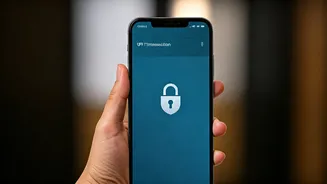







Guard Your UPI PIN Like a State Secret
This is the golden rule of digital payments. Your UPI PIN is the only thing standing between your money and a scammer. Never share it with anyone—not a friend, not a shopkeeper, and certainly not someone claiming to be from a bank or payment app. Legitimate
companies will never ask for your PIN. A critical point to remember is that you only need to enter your PIN when you are *sending* money, never when you are *receiving* it. Many scams trick users into entering their PIN to 'approve' a payment into their account, which is false.
Always Verify Before You Pay
In a rush, it's easy to send money to the wrong person. Before you hit 'Pay', take two seconds to verify the recipient's name that appears on the screen. This simple check can save you from costly mistakes or from falling for scams where fraudsters use names similar to people or businesses you know. This is especially important when scanning QR codes in public places, as criminals have been known to paste their own codes over legitimate ones.
Beware of 'Request Money' & Phishing Scams
Scammers often exploit the 'Request Money' feature, sending a payment request disguised as a refund or cashback offer. If you approve it and enter your PIN, you will lose money. Another common tactic is phishing, where fraudsters send fake links via SMS or email that lead to websites designed to steal your UPI credentials. Never click on suspicious links or download apps from unknown sources, especially screen-sharing apps like AnyDesk, which give scammers complete control of your device.
Use UPI as a Budgeting Tool, Not a Spending Enabler
The frictionless nature of UPI makes it easy to lose track of spending. Small, frequent transactions on food and shopping can add up quickly. To counter this, use your UPI app's built-in features to track your expenses. Many apps categorise your spending, giving you a clear picture of where your money is going. For better control, consider setting daily or weekly transaction limits through your banking app. Some students find it helpful to use a secondary bank account with a limited balance linked to UPI for daily discretionary spending, protecting their main savings.
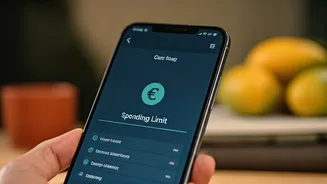
Set Transaction Limits for Better Control
Most banking apps allow you to set your own daily and per-transaction UPI limits, which are often lower than the standard ₹1 lakh limit set by the NPCI. For a student managing a tight budget, setting a lower daily limit (e.g., ₹2,000 - ₹5,000) can be an effective way to prevent overspending and also limit potential losses from fraud. These limits act as a financial safety net, forcing you to be more mindful of your spending patterns and protecting your account from being emptied in a single fraudulent event.
Keep Your UPI App and Phone Updated
Cybersecurity threats are constantly evolving. App developers regularly release updates with the latest security patches to protect you from new vulnerabilities. Always download UPI apps from official sources like the Google Play Store or Apple App Store and keep them updated to the latest version. Similarly, keeping your phone's operating system updated is crucial as these updates often contain important security fixes. Avoid using public or unsecured Wi-Fi networks for financial transactions, as hackers can intercept your data on these networks.