








The Usual Suspects: Walls and Construction
Wi-Fi signals are radio waves, and they don't appreciate dense obstacles. The very materials that make your home feel solid can be the biggest barriers to a strong connection. Thick walls made of concrete, brick, or stone are particularly notorious for
absorbing and weakening Wi-Fi signals. Many modern and older buildings in India use these materials, which can create frustrating 'dead zones'. Metal is another major offender; it reflects radio waves, causing the signal to bounce around unpredictably instead of reaching your device. This applies to metal studs in walls, metal-mesh-reinforced plaster, and even metal doors. The more walls and floors the signal has to penetrate, the weaker it becomes.
Kitchen Culprits: Microwaves and Appliances
Your kitchen is a hotbed of Wi-Fi interference. The biggest offender is often the microwave oven. Many Wi-Fi routers operate on the 2.4 GHz frequency band, and microwave ovens use a very similar frequency (around 2.45 GHz) to heat food. While your microwave is shielded, some radiation can leak out when it's running, effectively 'shouting over' your Wi-Fi signal and causing a temporary drop or complete loss of connection. Other large metal appliances like refrigerators and washing machines can also cause problems. They act as large metal boxes that signals can't easily penetrate, and their motors can generate electromagnetic interference.
Surprising Signal Blockers: Water and Mirrors
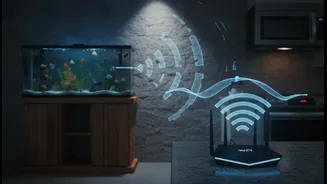
It might sound strange, but that beautiful aquarium in your living room could be hampering your streaming session. Water is excellent at absorbing radio wave energy, particularly in the 2.4 GHz band. A large fish tank placed between your router and your laptop can create a significant weak spot in your coverage. While it's unlikely to block the signal completely on its own, it can contribute to a dead zone, especially when combined with other obstacles. Mirrors are another sneaky source of interference. This is because they have a thin metallic coating on the back, which reflects Wi-Fi signals just like any other piece of metal, scattering your connection.
Electronic Competition: Other Devices
It's not just physical objects; other electronic devices can compete for the same airwaves. Anything that uses Bluetooth, such as wireless mice, keyboards, and speakers, operates in the crowded 2.4 GHz band and can cause congestion. Cordless phones and wireless baby monitors are also well-known for creating interference. Even your neighbour's Wi-Fi network can be a problem. If their router is using the same channel as yours, the overlapping signals can degrade performance for everyone. Having too many devices connected to your network at once, from smart TVs to security cameras, can also strain your router's capacity and slow things down.
Simple Fixes For a Stronger Signal
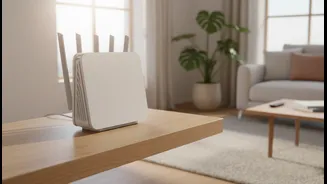
The good news is that you don't have to live with poor Wi-Fi. The simplest fix is often router placement. Position it in a central, elevated location, away from thick walls, large appliances, and metal objects. Don't hide it in a cabinet or a corner. Many modern routers are dual-band, offering both 2.4 GHz and 5 GHz frequencies. Switching your devices to the 5 GHz band can often solve interference problems from microwaves and Bluetooth devices, as it's a less crowded frequency, though it has a shorter range. For larger homes or those with thick walls, consider a Wi-Fi extender or a mesh network. An extender simply rebroadcasts the signal, while a mesh system replaces your single router with multiple nodes that create a seamless, unified network throughout your home.