







Understanding Your Tax Credits
When you file your Income Tax Return (ITR), you claim credit for taxes already paid on your behalf during the financial year. These are known as tax credits. The primary types include Tax Deducted at Source (TDS), where your employer or bank deducts tax before
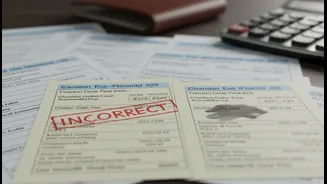
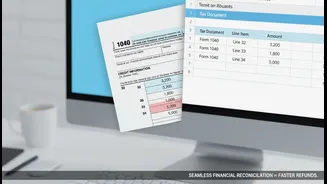
paying you; Tax Collected at Source (TCS), which is collected by sellers on certain goods; and advance tax or self-assessment tax you've paid yourself. For your refund to be processed smoothly, the total credit you claim in your ITR must exactly match the data available with the Income Tax Department. Any difference, no matter how small, is flagged by the system as a 'tax credit mismatch', bringing your refund process to a halt.
The Official Record: Form 26AS and AIS
The Income Tax Department maintains two critical documents that act as your financial report card: Form 26AS and the Annual Information Statement (AIS). Form 26AS is essentially your tax passbook, consolidating all the tax that has been deposited against your PAN, including TDS, TCS, and advance tax payments. The AIS is a more comprehensive statement, providing a detailed view of all your financial transactions reported by banks, mutual fund houses, and other entities, including interest income, dividends, and securities transactions. Before processing your refund, the tax department's automated system cross-verifies the tax credits you've claimed in your ITR against the data in these two documents.
Common Reasons for Credit Mismatches
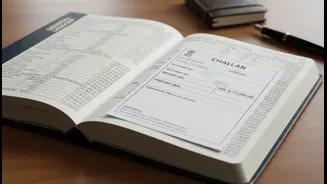
A mismatch is rarely the taxpayer's fault alone and often originates from the deductor's end. Common causes include your employer or bank quoting an incorrect PAN when filing their TDS return, delaying the filing of quarterly TDS returns, or making errors in the tax payment challan. If a deductor files their TDS return late, the credit may not appear in your Form 26AS by the time you file your ITR, creating a temporary mismatch. Similarly, if you enter your bank account details incorrectly or fail to pre-validate your primary bank account on the e-filing portal, your refund can fail even after being approved.
A Pre-Filing Checklist for Accuracy
The single most effective way to ensure a fast refund is to verify all details before you file. First, download your Form 26AS and AIS from the income tax e-filing portal. Carefully compare the TDS/TCS figures in these documents with the details in your own records, like your Form 16 from your employer and bank statements. Ensure every source of income, from salary to interest on savings, is correctly reported and matches the information in your AIS. Also, double-check that your primary bank account is pre-validated on the portal to allow for direct credit of the refund. Filing your return early, well before the deadline, also helps in faster processing.
How to Correct a Mismatch
If you spot a discrepancy, the course of action depends on the source of the error. If your employer or bank has made a mistake, you must contact them and request that they file a revised TDS return with the correct information. Once they file the correction, it typically takes a few working days for the update to reflect in your Form 26AS. If you have already filed your ITR and received a notice for a mismatch, you can file a rectification request through the e-filing portal. The portal has a specific option for 'Tax Credit Mismatch Correction' that allows you to update the details and resubmit your claim for verification. In some cases, if the corrected information in Form 26AS allows for a larger refund, you may need to file a revised ITR.