






The End of the Blank Slide?
For decades, creating a presentation involved a slow, manual process. You would start with a blank canvas in PowerPoint or Google Slides, painstakingly structuring an outline, writing content, and then designing each slide. AI presentation makers flip
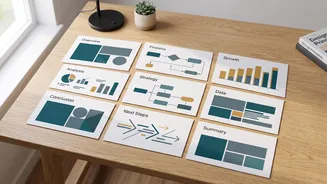
this process on its head. Instead of starting from scratch, a student can now provide a simple text prompt, a chunk of raw notes, or even a full document, and the AI will generate a complete, structured presentation in minutes. These tools handle the initial heavy lifting of outlining, summarising text, and applying a consistent visual design, freeing up the user to focus on refining the content rather than wrestling with layouts.
How Do AI Presentation Makers Work?
The magic behind these tools lies in generative AI. When you input a topic, the AI first researches and structures the story or argument. It breaks the topic down into a logical sequence of slides with titles and bullet points. Then, it populates these slides with text and, in many cases, sources relevant stock images or icons to add visual appeal. Some tools are standalone web platforms, while others work as plugins directly within familiar software like Google Slides and PowerPoint. This seamless integration makes it incredibly easy for students to adopt them into their existing workflows without a steep learning curve.
The Top AI Tools Students Are Using
A variety of AI presentation tools have become popular, each with slightly different strengths. Gamma is frequently cited as a top choice for its ability to create polished, web-native presentations from a single prompt very quickly. For those who prefer to work within existing ecosystems, Plus AI is a popular plugin for both Google Slides and PowerPoint, praised for its native integration that avoids platform switching. Other tools like Beautiful.ai focus heavily on maintaining strict design consistency with smart templates that adjust automatically, while Canva has incorporated its 'Magic Design' feature to bring AI generation into its already popular visual design platform.
The Obvious Benefits: Speed and Style
The primary advantage for any busy student is speed. A task that once took hours can now be drafted in minutes, providing a massive head start. This efficiency allows more time for research and practicing the actual delivery. Secondly, these tools provide a design baseline that helps students who are not confident in their design skills. They can produce a clean, professional-looking deck without needing an eye for colour theory or typography. For many, this helps overcome the 'blank page' anxiety that can stall a project before it even begins, providing a useful structure to build upon.
The Hidden Risks: Originality and Accuracy
Despite the benefits, relying too heavily on AI carries risks. A major concern is the potential for factual inaccuracy, as AIs can 'hallucinate' or invent data and sources. Students must diligently fact-check every piece of information generated. There's also the risk of producing generic presentations that lack a unique voice or perspective. Over-reliance can weaken critical thinking and storytelling skills, as the student may simply accept the AI's structure without question. Furthermore, privacy is a key concern; pasting sensitive information into these tools could expose it to be used for future AI model training.
Beyond Slides: A New Skill to Master
Educators are increasingly viewing the use of these tools not as cheating, but as the development of a new essential skill. The challenge is no longer about mastering slide layouts, but about learning how to effectively collaborate with an AI. This involves writing clear and effective prompts, critically evaluating the AI's output, and skillfully editing the generated content to ensure it is accurate, original, and compelling. Instead of replacing human effort, the goal is to use AI as a powerful assistant. The ability to leverage these tools to enhance productivity and communication is becoming a valuable skill in both academia and the modern workplace.